


What is On-Page SEO?
On-page SEO is the process of optimizing the content and elements on a webpage so that search engines can better understand what the page is about and users can easily find the information they need.
On-page SEO is sometimes also referred to as on-site SEO and includes things like your page title, headings, meta description, URL, images, internal links, and the actual content on the page.
Why is On-Page SEO Important?
On-page SEO is important because it helps search engines understand what your page is about and whether it matches what users are searching for.
When your page content, title tags, headings, etc. are properly optimized, you make it easier for search engines to crawl, interpret, and rank your content.
It also improves the user experience.
A well-optimized page is easier to read, faster to load, and more helpful to visitors.
On-Page SEO vs Off-Page SEO vs Technical SEO
| Type of SEO | Focus | Elements | Goal |
|---|---|---|---|
| On-page SEO | Optimizing the content and elements on individual pages. | Title tags, headings, meta descriptions, URLs, internal links, images, keyword usage, and content quality. | Help search engines and users understand what each page is about. |
| Off-page SEO | Building trust, authority, and visibility outside of your website. | Backlinks, brand mentions, digital PR, reviews, guest posts, and social sharing. | Show search engines that other websites and users trust your site. |
| Technical SEO | Improving the technical foundation of your website. | Site speed, mobile-friendliness, crawlability, indexing, XML sitemaps, structured data, HTTPS, and Core Web Vitals. | Make it easier for search engines to crawl, index, and rank your website. |
Quick On-Page SEO Checklist
Use this checklist before publishing a new page or updating an existing one:
- Choose one primary keyword for the page.
- Add relevant secondary keywords that support the main topic.
- Check the search intent behind the keyword and make sure your page matches what users expect to find.
- Write a clear title tag that includes the primary keyword naturally.
- Create a compelling meta description that explains why someone should click your result.
- Use one H1 tag that clearly describes the main topic of the page.
- Structure the content with H2s and H3s so the page is easy to scan and understand.
- Answer the main question early so users and search engines can quickly understand the purpose of the page.
- Create helpful, original content that gives users a better answer than competing pages.
- Use keywords naturally throughout the page without forcing them into every paragraph.
- Add internal links to relevant pages on your website.
- Add external links to trustworthy sources where they support the content.
- Optimize the URL slug so it is short, descriptive, and easy to read.
- Optimize images with descriptive file names, compressed file sizes, and useful alt text.
- Add structured data where relevant to help search engines better understand the page.
- Check page speed and Core Web Vitals to make sure the page loads quickly and provides a good user experience.
- Make sure the page is mobile-friendly and easy to use on smaller screens.
- Keep important content crawlable so search engines and AI tools can access and understand it.
- Review E-E-A-T signals such as author information, sources, examples, and content freshness.
Instantly Check Your On-Page SEO Score
Manually checking every on-page SEO element can take time, especially if you’re reviewing multiple pages or client websites.
With SEOptimer, you can quickly run a full SEO audit on any URL and get a clear breakdown of the most important on-page SEO issues affecting that page.
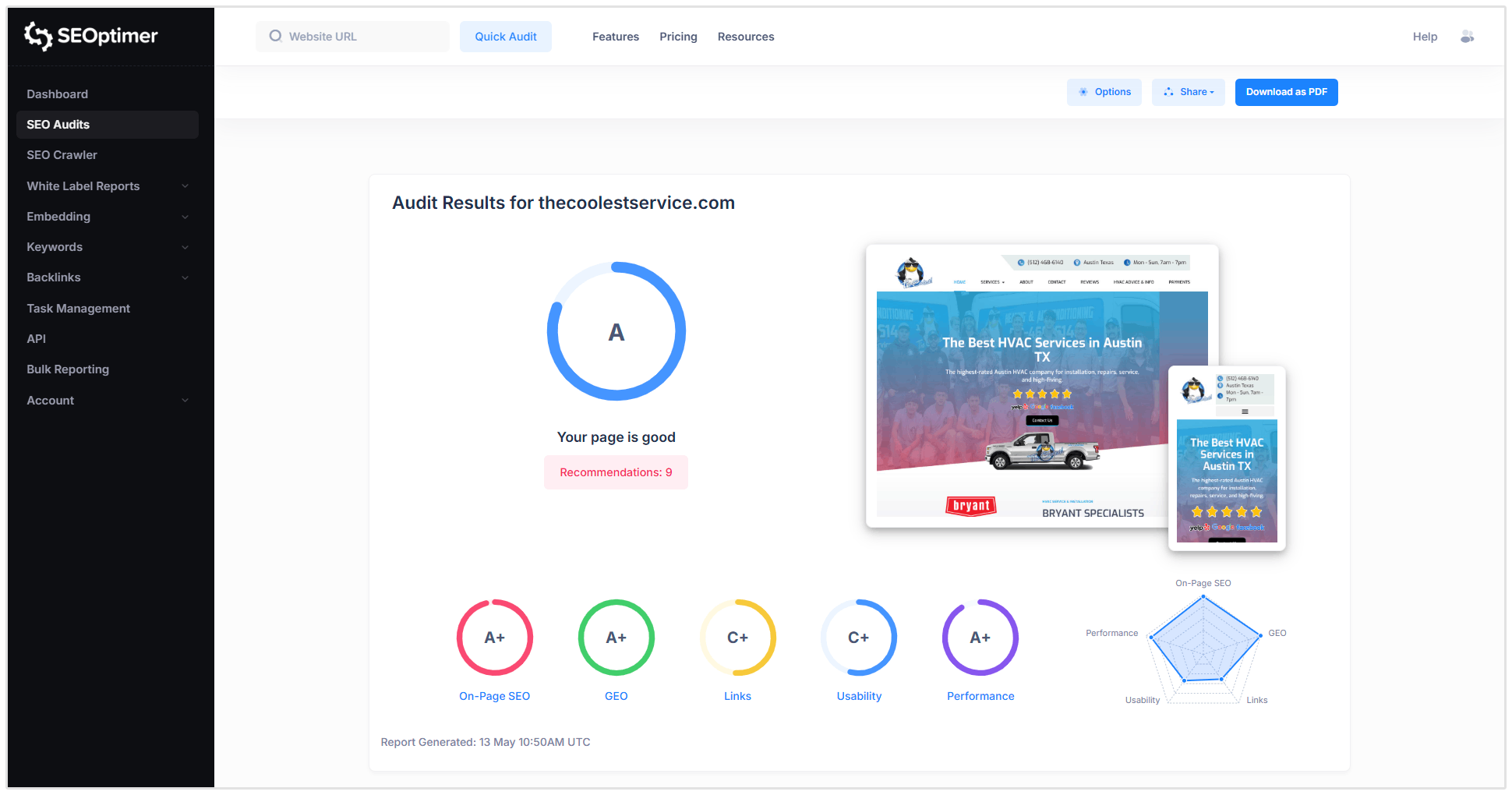
SEOptimer checks key on-page SEO elements such as:
- Title tags
- Meta descriptions
- Headings to review H1 and H2 usage
- Keyword consistency
- Image alt attributes
- Internal and external links
- URL structure
- Page speed and usability
SEOptimer also helps you understand whether your page is prepared for modern search experiences, including AI crawlers and AI visibility.
Our audit checks can help identify whether important content is accessible, structured clearly, and easy for search engines and AI systems to understand.
This makes it easier to spot issues, prioritize fixes, and improve your page’s ability to rank in traditional search results and appear in AI-driven search experiences.
Run a free SEO audit with SEOptimer to instantly check your on-page SEO and find opportunities to improve your page.
How to Improve On-Page SEO
Start with Search Intent
Before optimizing a single thing on your website, you need to understand the search intent behind your target keyword.
Search intent is the reason behind a search.
In other words, what does the user actually want to find when they type that keyword into Google?
For example, someone searching for “what is PPC marketing” wants an explanation.
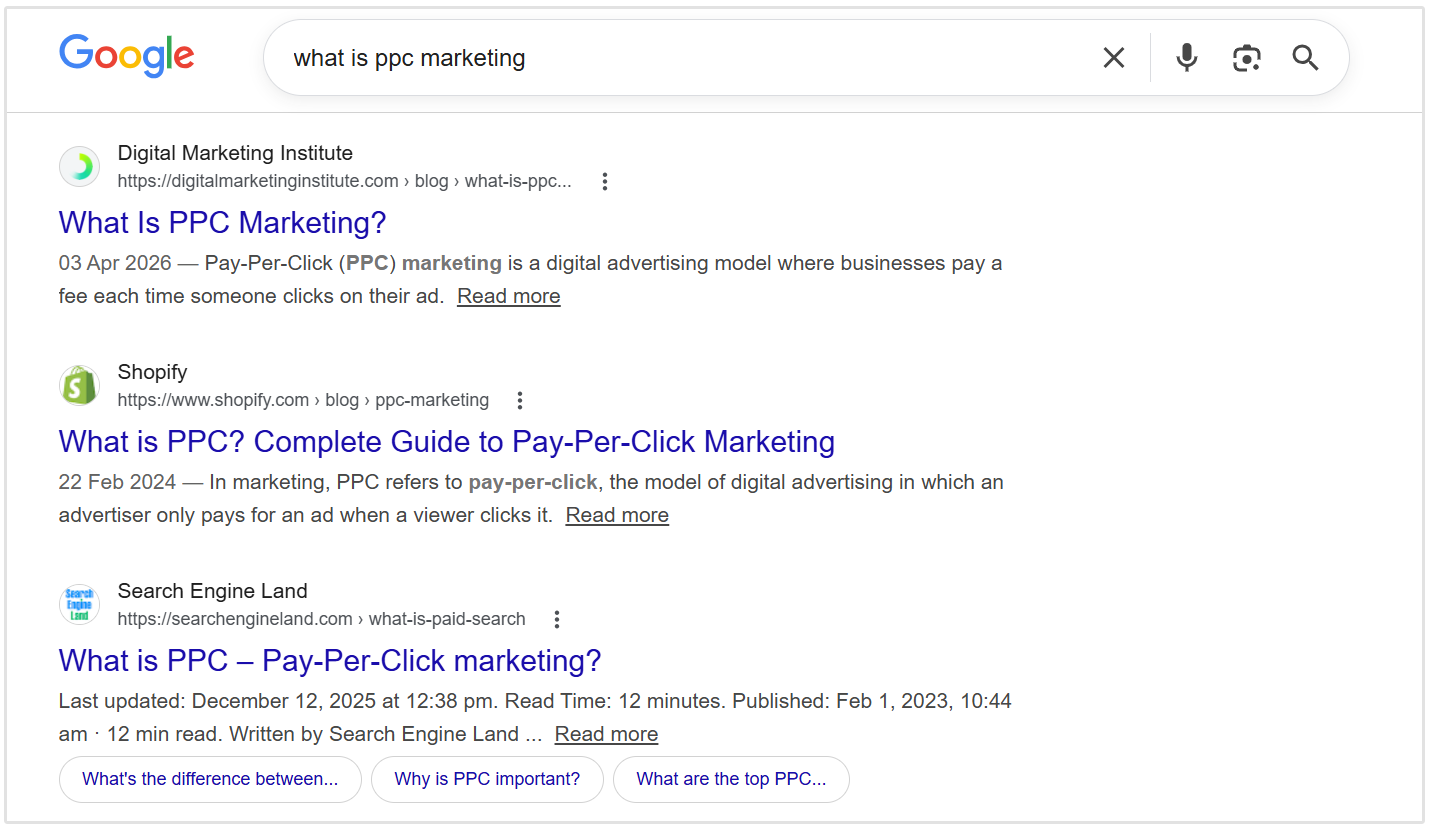
But someone searching for “PPC management tool” is probably looking for software they can use to manage their Pay-Per-Click marketing campaigns.
To understand search intent, look at the top-ranking pages for your target keyword and ask:
- Are they blog posts, product pages, category pages, or landing pages?
- Are they beginner guides, checklists, tutorials, or comparison posts?
- What questions do they answer?
- What format does Google seem to prefer for this keyword?
Once you understand the intent, you can create a page that gives users the type of answer they expect.
This matters because even a well-optimized page can struggle to rank if it does not match what searchers are looking for.
Choose the Right Primary and Secondary Keywords
Every page should have one clear primary keyword. This is the main search term you want the page to rank for.
Take for example this current page you’re on.
The primary keyword is “on-page SEO”.
We can then support that main keyword with secondary keywords.
These are closely related terms, variations, and questions that help search engines understand the full topic of the page.
For our on-page SEO guide, secondary keywords might include:
- on-page SEO checklist
- on-page SEO techniques
- on-page SEO factors
- how to improve on-page SEO
- on-page optimization
Using primary and secondary keywords helps you cover the topic more completely instead of repeating the same keyword over and over again.
Related Reading: 9 Popular Types of Keywords in SEO (and How to Use Each)
You can use SEOptimer’s Keyword Research Tool to find keyword ideas, search volume, competition levels, and related keyword opportunities.
For instance, let's say you want to build a page for your "Emergency plumbing services Austin, Tx" service.
You can add that search query or target keyword to our keyword research tool and it will suggest variants that you can add to your page:
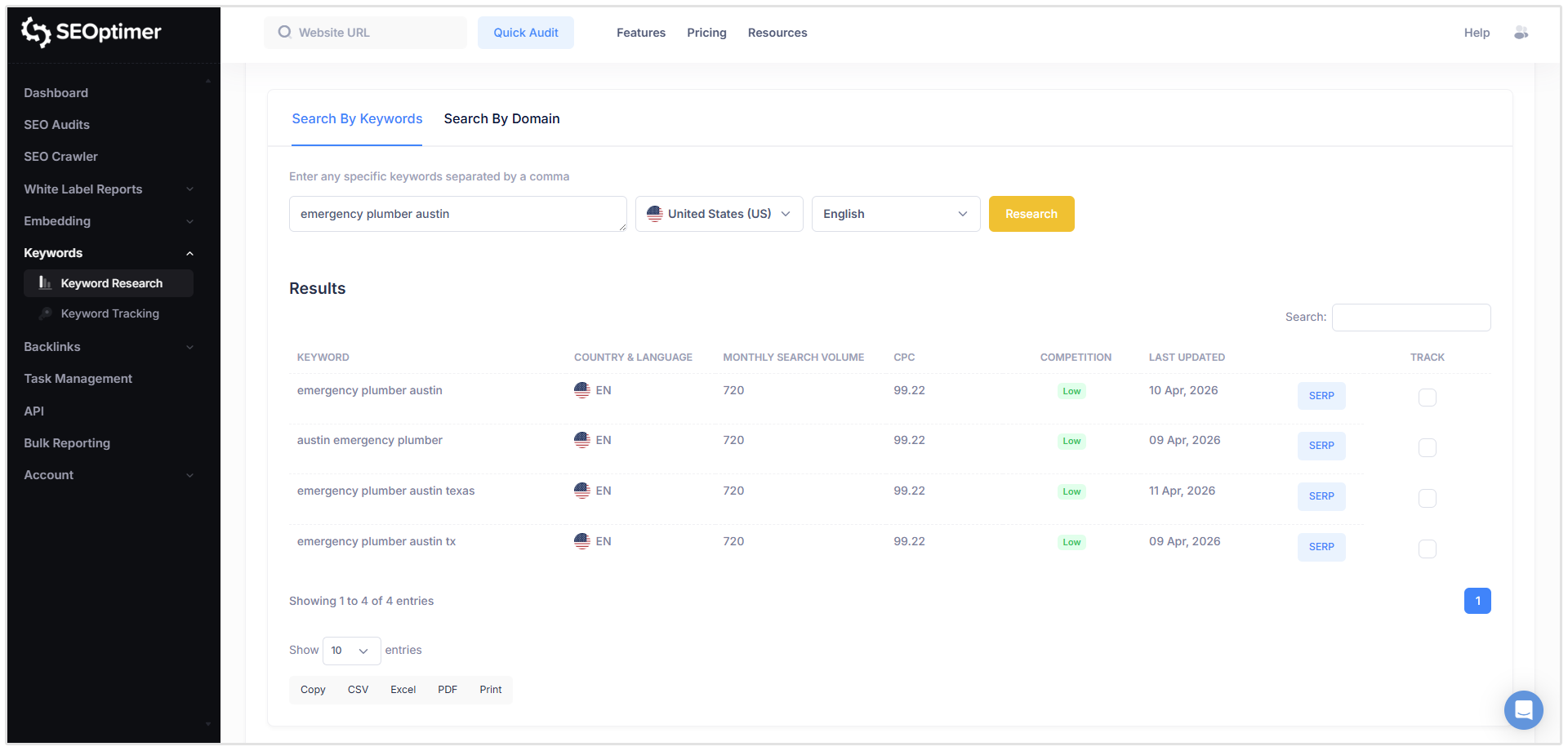
This makes it much easier to choose the right primary keyword for each page and identify supporting keywords that can strengthen your content.
But remember, the goal is not to force keywords into every sentence. It’s to understand how people search for the topic and then create a page that answers those searches clearly and naturally.
Optimize Your Title Tag
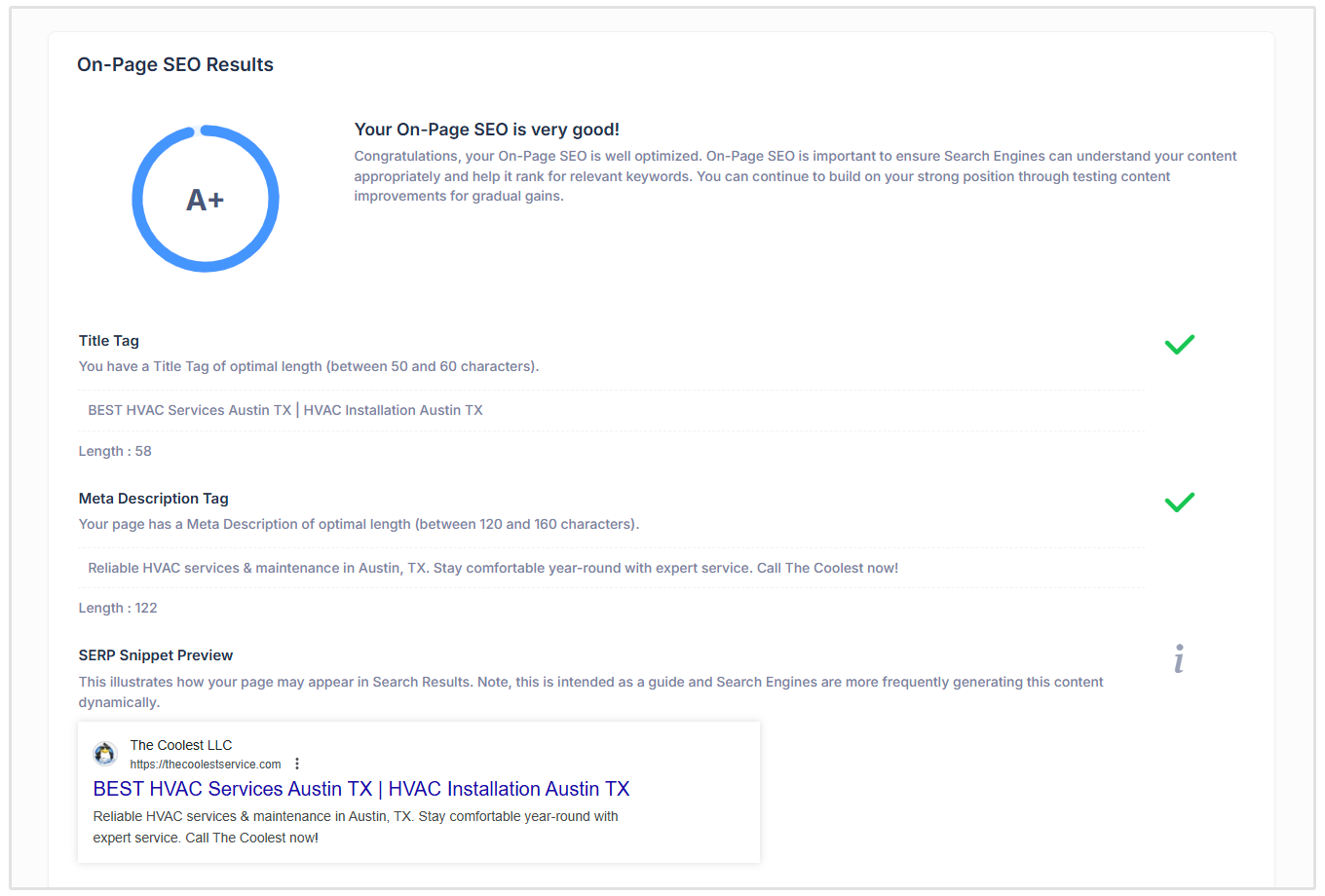
Your title tag is one of the most important on-page SEO elements because it tells search engines and users what your page is about.
It is also often the clickable headline that appears in search results, so it needs to be clear, relevant, and compelling.
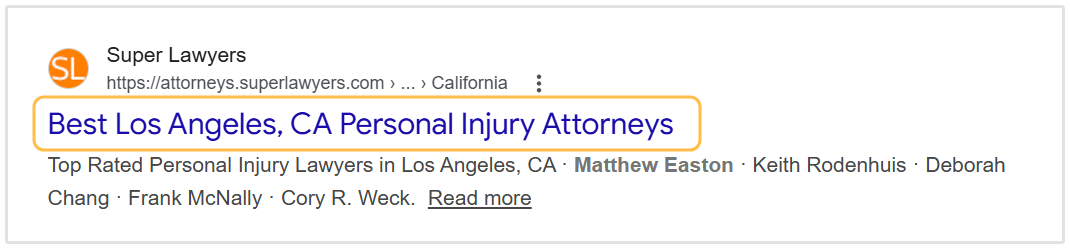
A good title tag should:
- Include your primary keyword naturally
- Clearly describe what the page is about
- Match the search intent
- Give users a reason to click
- Stay concise and avoid unnecessary words
- Be unique for every page on your site
For example, if you’re creating a page for an accounting firm in Brisbane, a weak title tag might be:
Accounting Services
A better version would be something like what Evergreen Accounting has for their homepage title:
Evergreen Accounting | Expert Accounting & Business Advisory
You don’t need to stuff multiple keywords into your title tag.
The goal is to write a title that accurately describes the page and encourages the right users to click through from the search results.
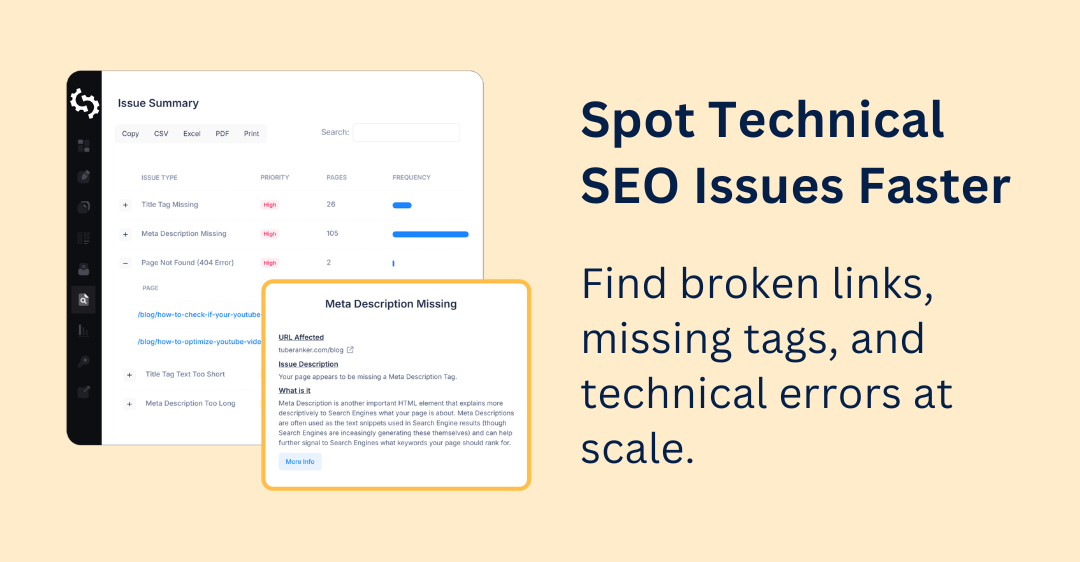
Write a Great Meta Description
A meta description is the short summary that can appear below your title tag in search results.
While meta descriptions are not a direct ranking factor, they can influence whether someone clicks on your page instead of a competing result.
A good meta description should:
- Clearly summarize what the page is about
- Include the primary keyword naturally
- Match the search intent
- Highlight the main benefit of visiting the page
- Use action-focused language where appropriate
- Be unique for every important page
As a general rule, aim to keep your meta description around 150 to 160 characters. If it is too long, Google may truncate it in the search results.
Use One Clear H1 Tag
Your H1 tag is the main heading on the page. It tells users and search engines what the page is about as soon as they land on it.
Each page should have one clear H1 that closely matches the main topic of the page.
A good H1 should:
- Clearly describe the page’s main topic
- Include the primary keyword naturally, where it makes sense
- Match the search intent of the page
- Be easy for users to understand
- Be different from the H1s used on other important pages
For example, if you’re creating a service page for a cleaning business, you might think that “Services” is a viable option for the H1 tag.
However, something like “Our Cleaning Services” is better because it is clearer, more specific, and tells visitors exactly what the page offers.
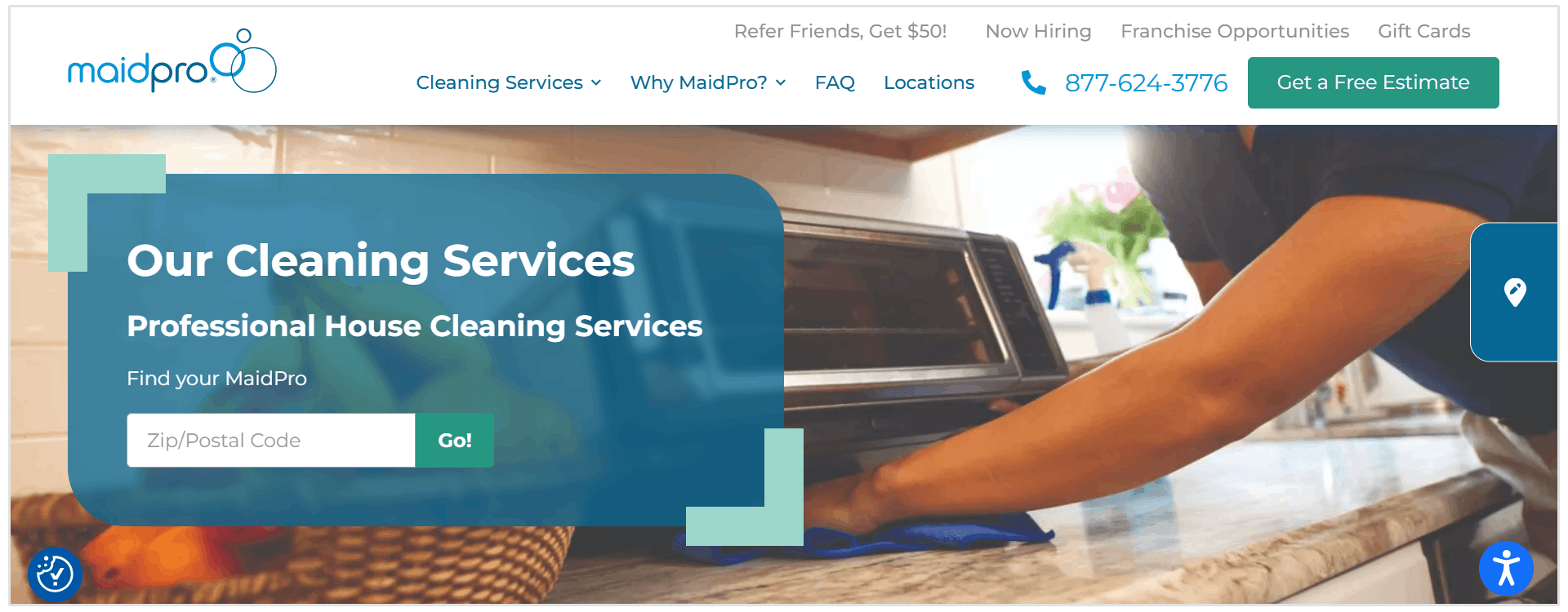
Your H1 does not need to be identical to your title tag, but they should be closely related.
Add H2 and H3 Header Tags
Header tags help organize your content into clear sections.
Your H2 tags should be used for the main sections of the page, while H3 tags should be used for supporting points within those sections.
This makes your content easier for users to scan and helps search engines understand how the page is structured.
For example, a page about kitchen renovation services could use this structure:
H1: Kitchen Renovation Services in Denver
H2: Complete Kitchen Remodeling Services
H3: Cabinet Installation
H3: Countertop Replacement
H3: Flooring and Tile Work
H2: Why Choose Our Kitchen Renovation Team?
H3: Licensed Local Contractors
H3: Transparent Project Pricing
H3: Fast Turnaround Times
So, when you’re planning your page and which heading tags to use, follow these general guidelines:
- Use H2s for main topics and secondary keywords
- Use H3s for subtopics under each H2
- Include relevant keywords naturally where they fit
- Avoid vague headings like “More Information” or “Other Things to Know”
- Follow a clear order without jumping randomly between heading levels
Answer the Main Question Early
When someone lands on your page, they should quickly understand that they are in the right place.
That’s why it’s important to answer the main question or explain the main topic near the beginning of the page.
For example, if your page targets “what is business insurance,” don’t start with a long introduction about how difficult it is to run a business.
Start by giving a clear answer like this:
"Business insurance protects companies from financial losses caused by risks such as property damage, legal claims, employee injuries, and business interruptions."
This helps users get value immediately and gives search engines a clear understanding of what the page is about.
It can also improve your chances of appearing in featured snippets, AI Overviews, and other search features where concise, direct answers are often used.
The goal is not to give everything away in the first paragraph. It’s to quickly confirm the topic, answer the core question, and then use the rest of the page to explain it in more detail.
Create Genuinely Helpful Content
On-page SEO is not just about adding keywords to a page. The content itself needs to be useful, accurate, and better than what users can already find elsewhere.
Helpful content should answer the user’s question clearly and give them enough information to take the next step.
This could include:
- Clear explanations
- Step-by-step instructions
- Real examples
- Original images or screenshots
- Expert quotes
- Data or research
- Practical tips
- Common mistakes to avoid
- FAQs that answer related questions
For example, if you’re creating a page about home solar installation, don’t just explain what solar panels are.
Include information about installation timelines, typical costs, roof suitability, permits, maintenance, and how homeowners can decide whether solar is right for them.
The goal is to create content that fully satisfies the search intent, not content that only repeats the same basic information as every other page ranking for that keyword.
Before publishing, ask yourself the following question: Would someone leave this page feeling like they got a complete, useful answer?
If the answer is no, the page probably needs more depth, better examples, or clearer explanations.
Optimize the URL
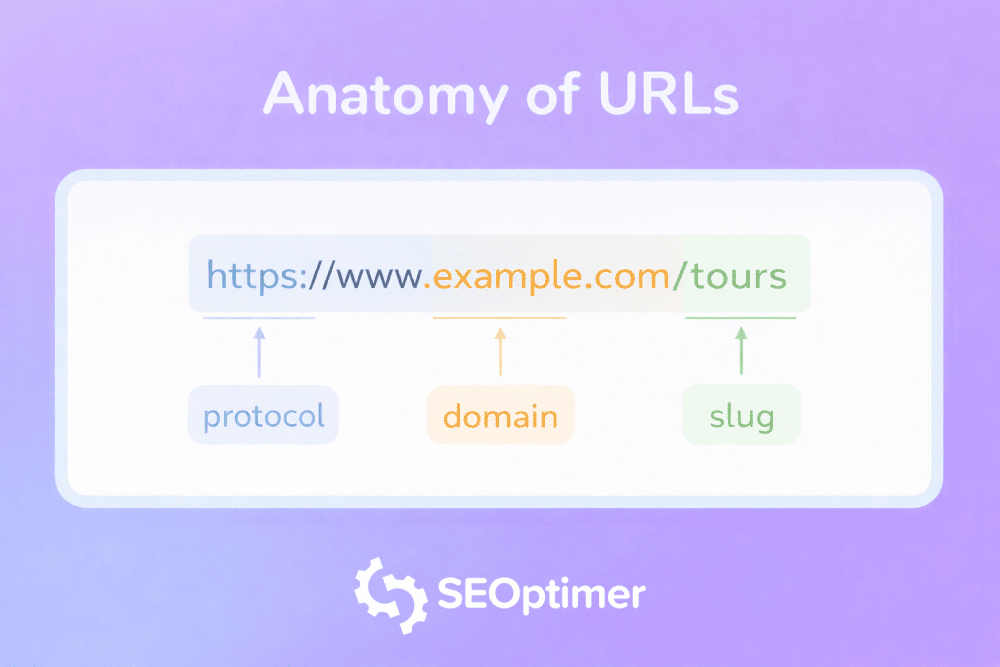
Your URL slug gives users and search engines another clue about what the page is about.
Keep it short, readable, and closely connected to the main topic of the page.
A clean URL like:
example.com/blog/small-business-tax-tips/
is much easier to understand than something like:
example.com/blog/post?id=8472
Where possible, include the primary keyword in the URL, but don’t force it. The URL should still feel natural and easy to read.
It’s also best to avoid unnecessary dates, numbers, or random characters, especially if the content is evergreen.
For example, /blog/tax-tips/ is usually better than /blog/2022/tax-tips-version-3/.
Important: If you change the URL of an existing page, remember to add a 301 redirect from the old URL to the new one so users and search engines are sent to the right place.
Related Reading: How to Create Properly Optimized URLs for SEO
Add Internal Links
Internal links help connect related pages on your website.
They guide users to useful next steps and help search engines discover, understand, and rank your content.
For example, if you publish a blog post about small business tax tips, you could internally link to related pages such as:
- Small Business Accounting Services
- Bookkeeping Checklist for Small Businesses
- Tax Preparation Services
- Business Expense Tracking Guide
This helps users continue learning and gives search engines more context about how your pages relate to one another.
When adding internal links, use anchor text that clearly describes the page you’re linking to.
For example, “small business accounting services” is more useful than “click here.”
You should also look for opportunities to link from older, high-performing pages to newer or more important pages. This can help pass authority to pages that need more visibility.
Internal linking doesn’t need to be complicated. The main goal is to make your website easier to navigate and help users find the most relevant content faster.
Optimize Image Alt Text
Images can make your content more useful, engaging, and easier to understand.
But for SEO and accessibility, search engines also need context about what those images show.
That’s where image alt text comes in.
Alt text is a short description added to an image.
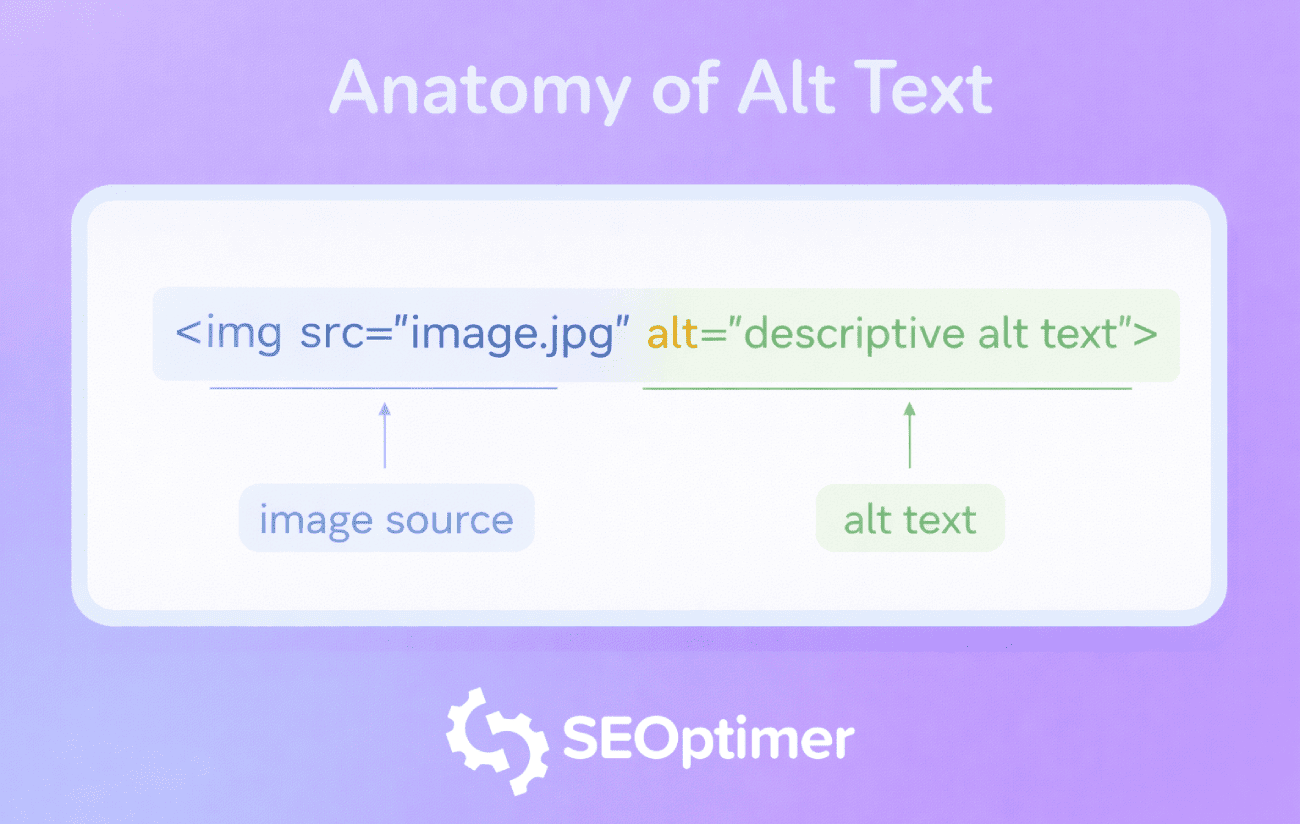
It helps screen readers describe images to visually impaired users, gives browsers text to display if the image does not load, and helps search engines understand the image.
The goal is to describe the image clearly and naturally.
You can include a relevant keyword if it fits, but avoid forcing keywords into every image. Keyword-stuffed alt text looks spammy and creates a poor experience for users.
Creating alt text manually can also take time, especially if you’re updating a large blog post or ecommerce website with lots of images.
To speed this up, you can use AltTextGenerator, a free AI alt text generator that creates relevant image alt text based on the photo or image you upload.
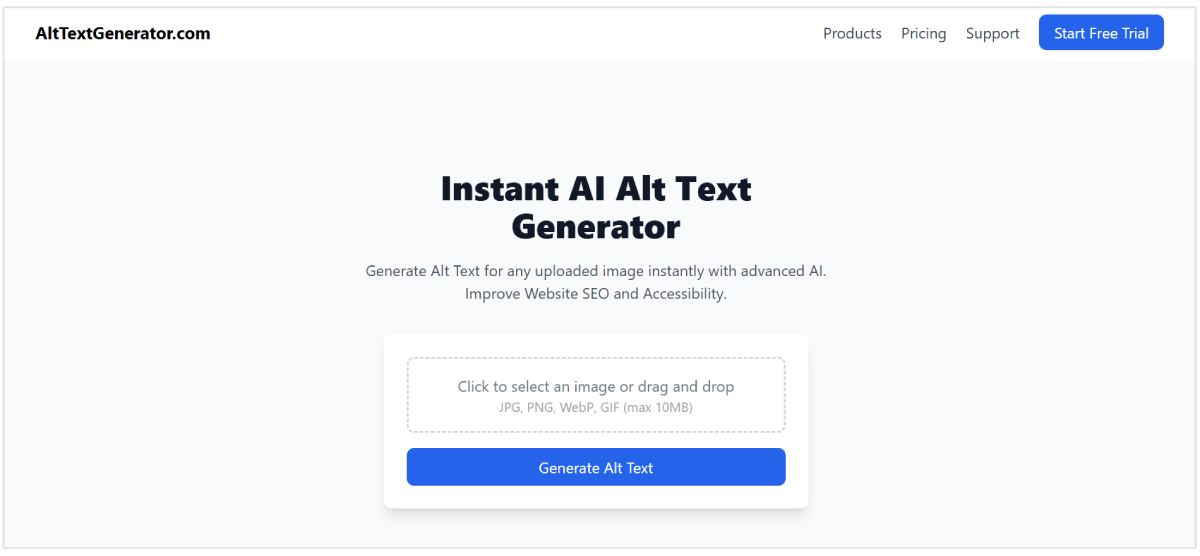
Simply upload your image, and the tool will generate descriptive, SEO-friendly alt text that you can review, edit, and add to your website.
This makes it easier to improve image accessibility, give search engines better context, and optimize your images without writing every description from scratch.
Improve PageSpeed and Core Web Vitals
Page speed affects both user experience and SEO. If a page takes too long to load, visitors are more likely to leave before they even read your content.
Core Web Vitals are Google’s way of measuring important parts of the page experience, including how fast the main content loads, how quickly the page responds to user actions, and how stable the layout is while loading.
To keep this simple, focus on the basics:
- Compress large images before uploading them
- Use modern image formats like WebP where possible
- Remove unnecessary plugins, scripts, or tracking codes
- Use lazy loading for images and videos
- Make sure your website works well on mobile devices
- Use a reliable hosting provider
- Reduce large layout shifts caused by ads, banners, or images loading late
You don’t need to become a developer to improve page speed. Start by identifying the biggest issues first, then fix the ones that have the largest impact on users.
A faster, more stable page makes your content easier to access, improves the user experience, and gives your on-page SEO a stronger foundation.
Make Content Easy for AI to Understand
AI search engines, AI Overviews, and LLM-powered tools also need to understand what your page is about before they can summarize, recommend, or cite it.
The good news is that many of the same on-page SEO basics also help AI systems understand your content better.
Start with clear page structure. Use a descriptive title tag, one clear H1, and logical H2 and H3 headings that explain the main sections of the page.
Then, make sure your content answers important questions directly. AI systems often look for clear definitions, concise explanations, step-by-step guidance, comparisons, and summaries that can be easily extracted from the page.
You can also improve AI understanding by:
- Keeping important content in crawlable HTML, not hidden inside images or scripts
- Using descriptive headings that match real user questions
- Adding structured data where relevant
- Including clear author, company, and contact information
- Using internal links to connect related topics
- Adding concise summaries, tables, FAQs, and examples
- Making sure your content is accurate, current, and easy to verify
Related Reading: LLM SEO: How to Get Cited by ChatGPT, Gemini, and Claude
Strengthen E-E-A-T Signals
E-E-A-T stands for Experience, Expertise, Authoritativeness, and Trustworthiness.
In simple terms, it means your page should show users and search engines that the content is reliable, accurate, and created by someone who understands the topic.
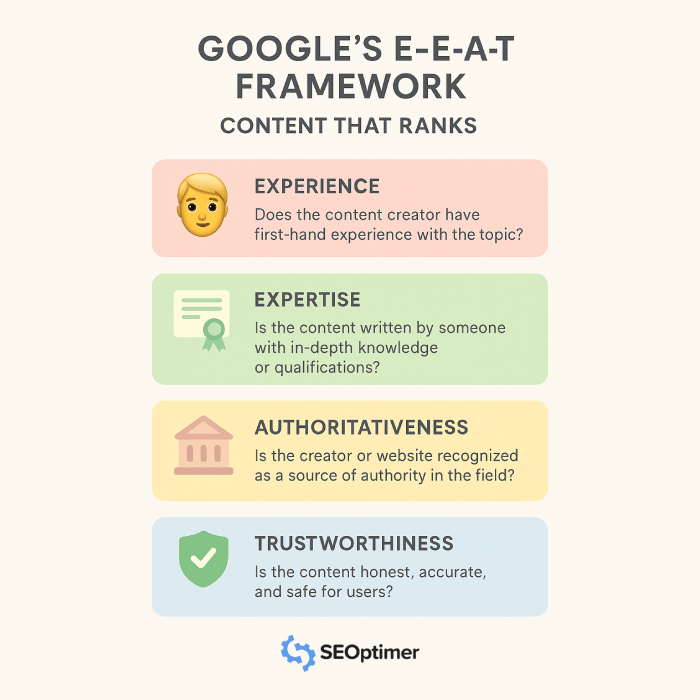
You can strengthen E-E-A-T signals by adding:
- A clear author name and bio
- Expert quotes or reviewer notes where relevant
- Real examples, screenshots, or case studies
- Links to trustworthy sources that support important claims
- Updated publish dates when content is refreshed
- Clear company information, contact details, and policies
- Customer reviews, testimonials, or trust badges where appropriate
For example, a medical, legal, or financial page needs stronger trust signals than a simple lifestyle blog post because the advice can directly affect someone’s wellbeing, money, or safety.
But E-E-A-T still matters for everyday content too. If your page makes claims, gives advice, or compares products, users need to know why they should trust it.
The goal is to make your content feel credible, transparent, and genuinely useful, not like it was written quickly just to rank.
On-Page SEO Myths
SEO has changed a lot over the years, and some old on-page SEO advice no longer works the way it used to.
Here are some common on-page SEO myths.
Myth 1: Using Your Keyword More Often will Improve Rankings
Repeating your target keyword over and over again does not make a page more useful or more relevant.
In fact, excessive keyword usage can hurt the quality of your content and make it harder to read.
Google’s spam policies specifically mention keyword stuffing as a practice that can negatively affect a site’s ability to appear in search results.
Myth 2: Keywords have to Match Exactly
Exact-match keywords can still be useful, but you don’t need to use the same phrase in every title, heading, and paragraph.
Search engines are much better at understanding context, synonyms, related topics, and user intent.
Google explains that its systems look at many signals to determine whether content is relevant and useful, not just whether a page repeats the exact words from the query.
For example, a page targeting “best running shoes for flat feet” could naturally include related terms such as:
- arch support
- stability running shoes
- overpronation
- cushioned running shoes
- supportive footwear
These related terms help cover the topic more completely and make the content sound more natural.
Myth 3: The H1 Tag is the Most Important On-Page SEO Element
Your H1 tag is important, but it is not the only thing that matters.
A clear H1 helps users and search engines understand the main topic of the page, but rankings depend on the overall quality and relevance of the page. The title tag, page content, headings, internal links, user experience, and search intent all work together.
Google also uses several sources to generate title links in search results, including the title tag and other visible page elements, so your page needs to be clear and consistent across multiple areas and not only in the H1.
Myth 4: Meta Descriptions Directly Improve Rankings
Meta descriptions are important, but not because they directly push your page higher in the rankings.
Their main job is to help users understand what the page is about before they click. A strong meta description can improve your search result snippet and encourage more people to visit your page.
Myth 5: Backlinks Matter More Than On-Page Content
Backlinks are important, but they cannot make up for poor content forever.
If your page does not satisfy search intent, answer the user’s question, or provide a good experience, it will struggle to perform even if it has links pointing to it.
Myth 7: AI Search Means Traditional On-Page SEO No Longer Matters
AI search has changed how people discover information, but it has not made on-page SEO irrelevant.
In fact, clear on-page SEO can help AI systems understand your content better.
Pages with descriptive titles, clear headings, structured sections, concise answers, schema markup, and crawlable HTML are easier for both search engines and AI tools to interpret.
The basics still matter. If your page is confusing for users and difficult for search engines to understand, it will also be harder for AI systems to summarize or cite.
Related Reading: How to Rank in AI Overviews (with Insights from Top SEO Experts)
Myth 8: Once a Page is Optimized, You Never Need to Update It
On-page SEO is not a one-time task.
Search intent changes, competitors update their content, Google changes how it displays results, and your own products or services may evolve over time.
That’s why important pages should be reviewed regularly. Look for outdated examples, missing internal links, weak title tags, old statistics, slow-loading images, or sections that no longer match what users expect.
Updating old content can often be one of the fastest ways to improve organic performance because the page already has history, links, and existing search visibility.
On-Page SEO FAQ
What is on-page SEO?
On-page SEO is the process of optimizing individual web pages so search engines can understand them and users can easily find the information they need.
What are the most important on-page SEO factors?
The most important on-page SEO factors include search intent, high-quality content, title tags, headings, meta descriptions, internal links, image alt text, URL structure, page speed, mobile-friendliness, structured data, and clear E-E-A-T signals.
What is the difference between on-page SEO and technical SEO?
On-page SEO focuses on the content and visible elements of individual pages, such as titles, headings, internal links, and body content. Technical SEO focuses on the technical foundation of the website, such as crawlability, indexing, site speed, sitemaps, HTTPS, and Core Web Vitals.
How often should you update on-page SEO?
You should review important pages at least every few months, especially if they target competitive keywords or drive leads, sales, or traffic.
You should also update a page when search intent changes, rankings drop, competitors improve their content, or the information on the page becomes outdated.
Are keywords still important for on-page SEO?
Yes, keywords are still important, but they should be used naturally. Instead of repeating the same keyword over and over, use your primary keyword in important areas like the title tag, H1, introduction, URL, and headings where relevant.
Does on-page SEO help with AI Overviews?
Yes, clear on-page SEO can help search engines and AI systems better understand your content.
How do I check if my on-page SEO is good?
The easiest way is to run an SEO audit with SEOptimer, which can quickly highlight missing, weak, or poorly optimized elements.
What is the best on-page SEO tool?
The best on-page SEO tool is one that helps you quickly identify issues and gives you clear recommendations for improvement.
Our SEO Audit Tool checks key on-page SEO elements such as title tags, meta descriptions, headings, keyword usage, image alt text, links, page speed, mobile usability, and AI visibility-related factors, making it easy to find and fix optimization issues.
Conclusion
On-page SEO is one of the simplest ways to make your website easier for search engines, users, and AI tools to understand.
You don’t have to fix everything at once. Start with the most important pages on your site, work through the checklist, and make small improvements over time.
To make the process easier, run your page through our SEO Audit Tool to quickly find on-page SEO issues and get clear recommendations for what to improve next.