



An XML sitemap helps search engines find the most important pages on your website.
In this guide, we’ll show you what an XML sitemap is, why you need one, and how to create and submit one to Google.
What is an XML Sitemap?
An XML sitemap is a file that lists the important pages on your website for search engines such as Google. It gives search engines a clear map of the URLs you want them to find, crawl, and potentially show in search results.
Instead of relying only on links across your site, an XML sitemap provides search engine bots with a direct list of your key pages, posts, products, images, or videos.
For instance, here's the sitemap for SEOptimer's blog pages which you can find at: https://www.seoptimer.com/blog/post-sitemap.xml.
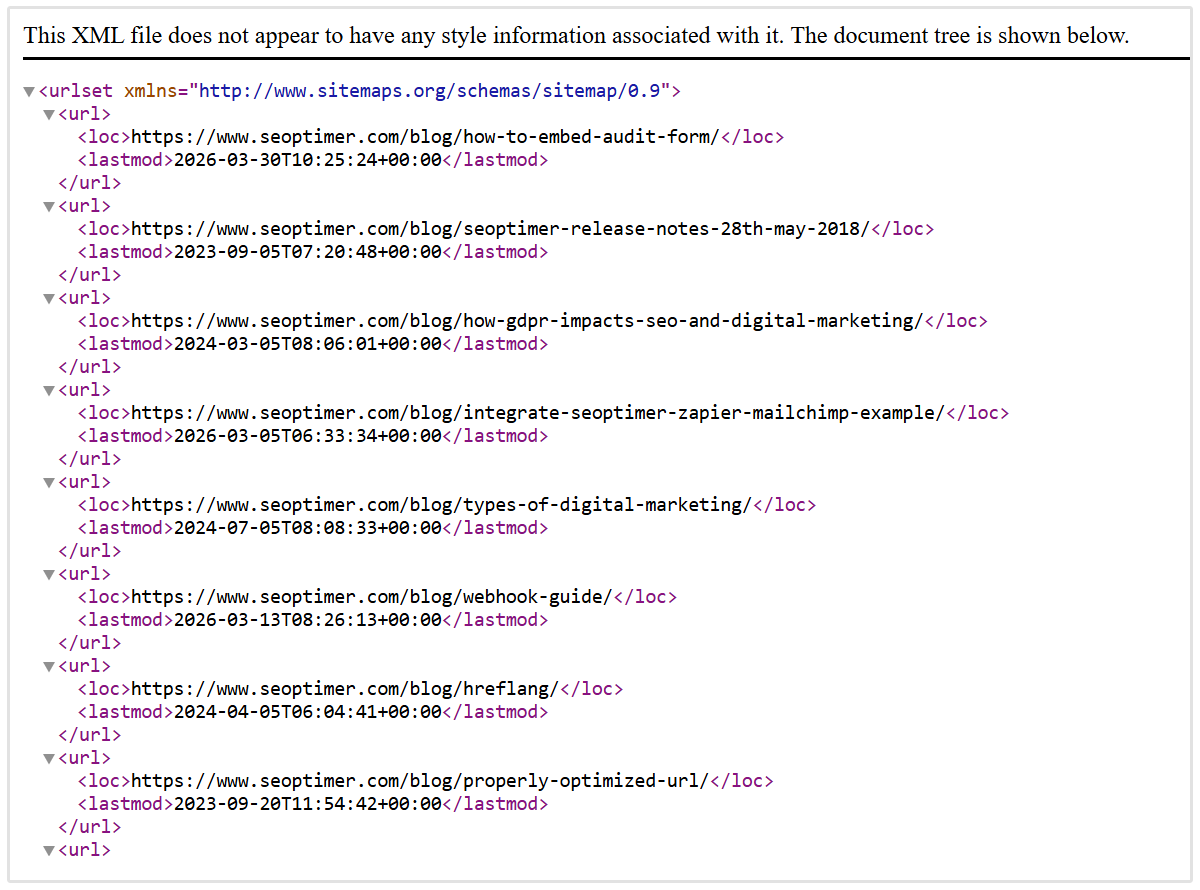
Note: An XML sitemap does not guarantee that every page will be indexed or rank in Google.
However, it can make it easier for search engines to discover important content, especially on large, new, or more complex websites.
XML Sitemap vs. HTML Sitemap: What’s the Difference?
The main difference is who each sitemap is designed for.
- An XML sitemap is made for search engines. It is usually a file with a URL such as yourwebsite.com/sitemap.xml, and most visitors will never need to look at it.
- An HTML sitemap is made for people. It is a normal webpage that lists links to important sections or pages on your site, helping visitors find what they are looking for.
We already shared an example of SEOptimer's XML sitemap. Here's an example of what an HTML sitemap looks like from Apple's website:
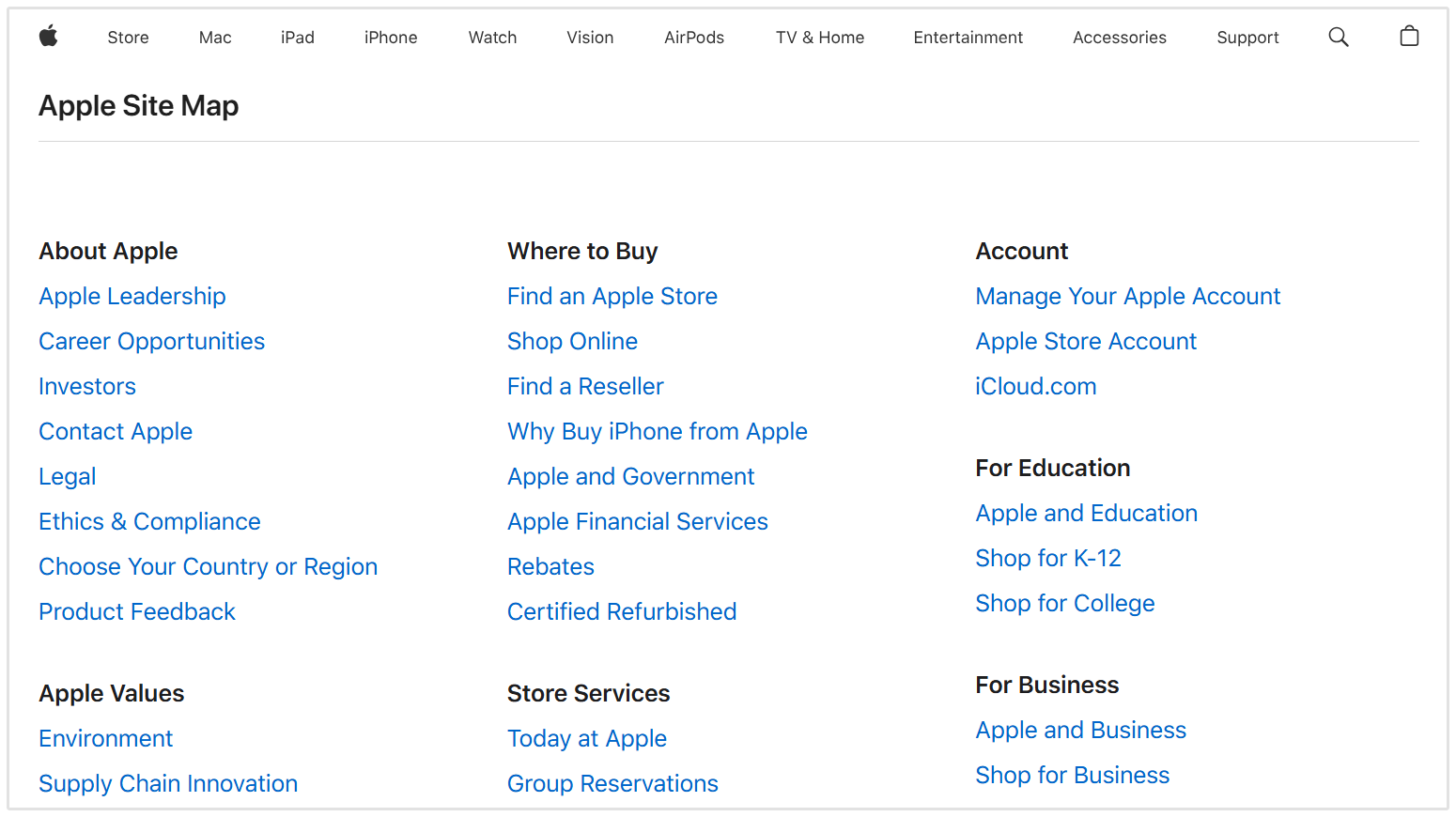
As you can see, the HTML sitemap is a page with a bunch of links that people (site visitors) can click on and visit themselves.
Does Your Website Need an XML Sitemap?
Yes, an XML sitemap gives search engines a clearer view of the important pages on your website, so it is worth having even if your site is small.
That said, a sitemap is especially useful if your website is large, has lots of pages that are not closely linked together, or is still new and has not earned many links from other websites yet.
You should also use an XML sitemap if your site includes a lot of images, videos, products, blog posts, or news content. It gives search engines a direct list of the pages and files you want them to find.
If you have a small website with clear navigation and strong internal links, Google can often discover your pages without much help.
But there is usually no downside to having a sitemap, as long as it is accurate and only includes pages you actually want to appear in search results.
How to Find Your Existing Sitemap
1. Use SEOptimer's Free XML Sitemap Checker
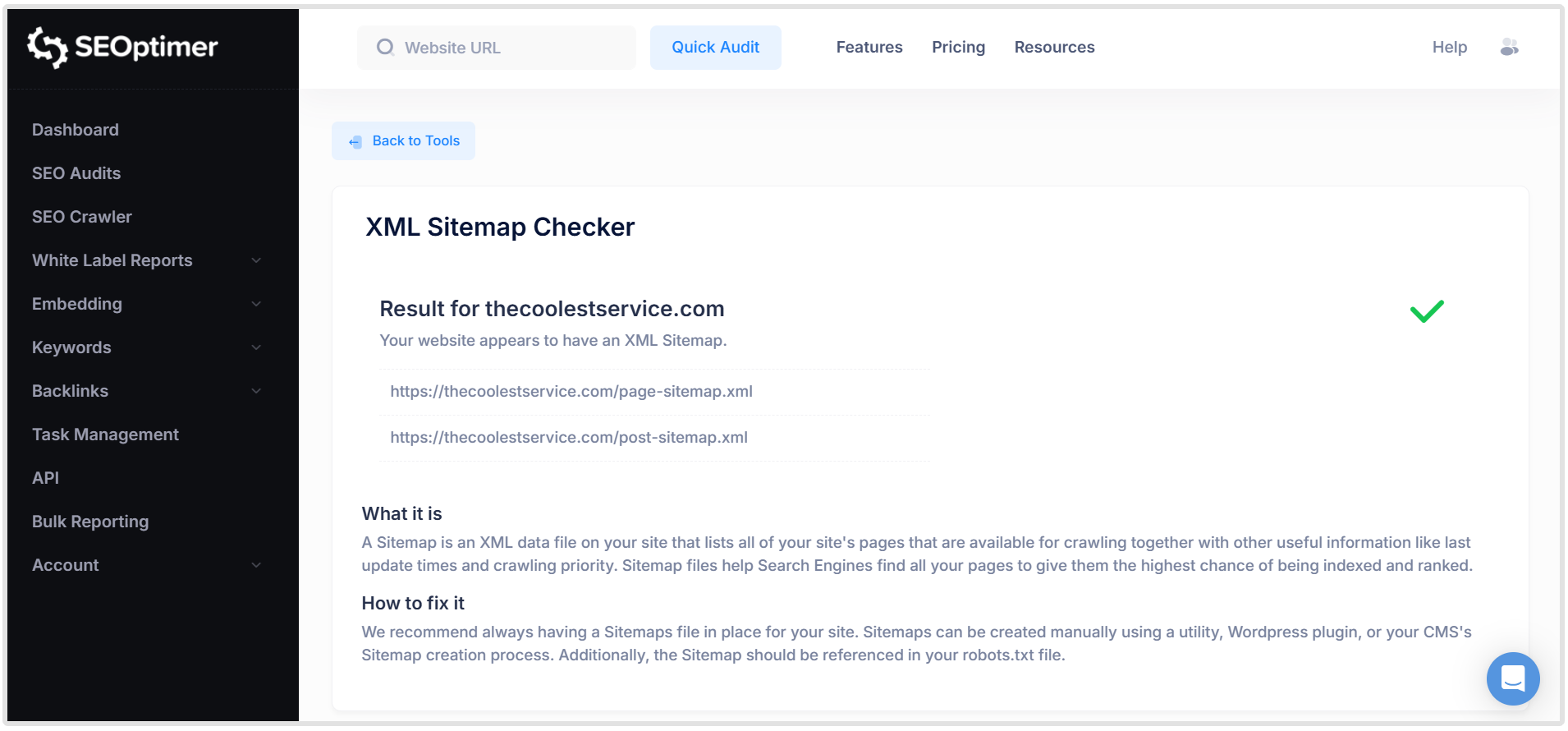
The quickest option is to run your homepage through SEOptimer’s XML Sitemap Checker.
It checks whether your website has a sitemap and whether it is set up correctly.
2. Manual Check
You can also check manually by entering one of these URLs into your browser:
- yourwebsite.com/sitemap.xml
- yourwebsite.com/sitemap_index.xml
- yourwebsite.com/wp-sitemap.xml for many WordPress websites
If none of these work, go to yourwebsite.com/robots.txt and look for a line that starts with Sitemap:.
For instance, here's a screenshot of Hootsuite's robotx.txt file, as you can see there's a line at the bottom with the XML sitemap URL:
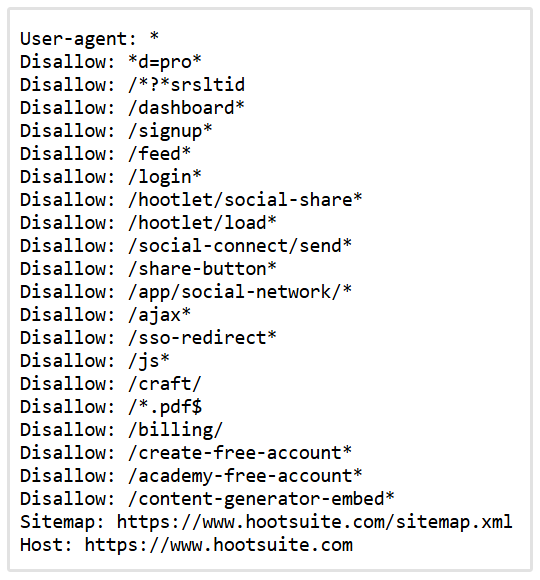
This should show the exact location of your sitemap.
Do not worry if the sitemap looks plain or displays a message saying that it has no style information. XML sitemaps are made for search engines, not people, so they often look like a simple list of URLs in your browser.
When checking your sitemap manually, make sure it loads without an error page and includes the main pages you want search engines to find.
If it lists several smaller sitemap files instead of individual URLs, that is normal too. This is called a sitemap index.
3. Let Your Website Builder Create it for You
Most popular CMS platforms create XML sitemaps for you.
For instance, here we can see the sitemap of The Coolest, an HVAC contractor based in Austin, uses the Yoast SEO plugin on their site which automatically generated the sitemap:
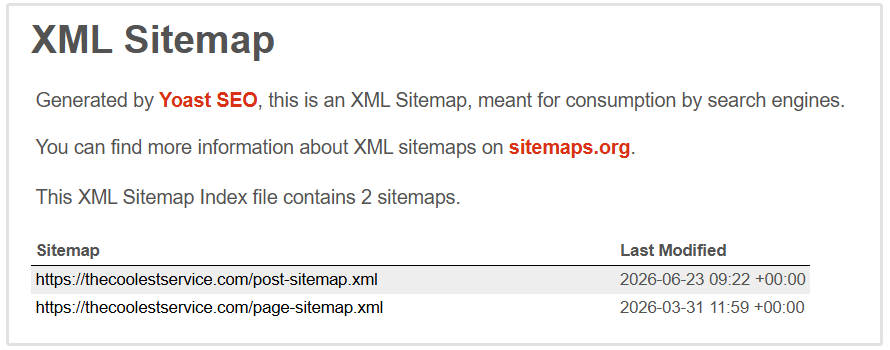
Here are some common examples and where you can typically find their sitemap URLs:
- WordPress (default): yourwebsite.com/wp-sitemap.xml
- WordPress (Yoast SEO plugin): yourwebsite.com/sitemap_index.xml
- Shopify: yourwebsite.com/sitemap.xml
- Wix: yourwebsite.com/sitemap.xml
- Squarespace: yourwebsite.com/sitemap.xml
These platforms automatically generate and update your sitemap as you add or change content.
This means that, for most websites built with a modern CMS, you only need to find the sitemap and submit it to Google Search Console.
4. Use Search Operators to Find the XML Sitemap
You can also use some basic search operators to find a website's XML sitemap.
Search operators are basic commands that you can add to your search queries to find more specific search results.
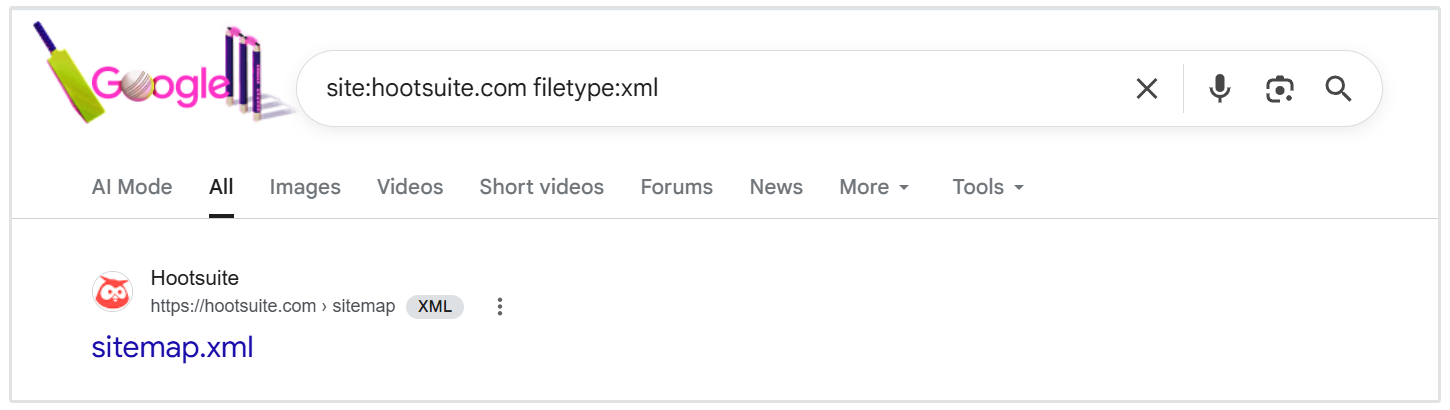
Here are three search operators you can use to find any site's XML sitemap:
- site:yourwebsite.com filetype:xml
- site:yourwebsite.com inurl:sitemap
- site:yourwebsite.com intitle:sitemap
If Google has indexed it, the results will show you the exact location of the sitemap.
How to Create an XML Sitemap
If your website does not have a sitemap, or you are working with a custom-built website, you can create one yourself.
SEOptimer’s Free XML Sitemap Generator makes this super easy. Add the important pages you want search engines to discover, then generate an XML sitemap file for your website.
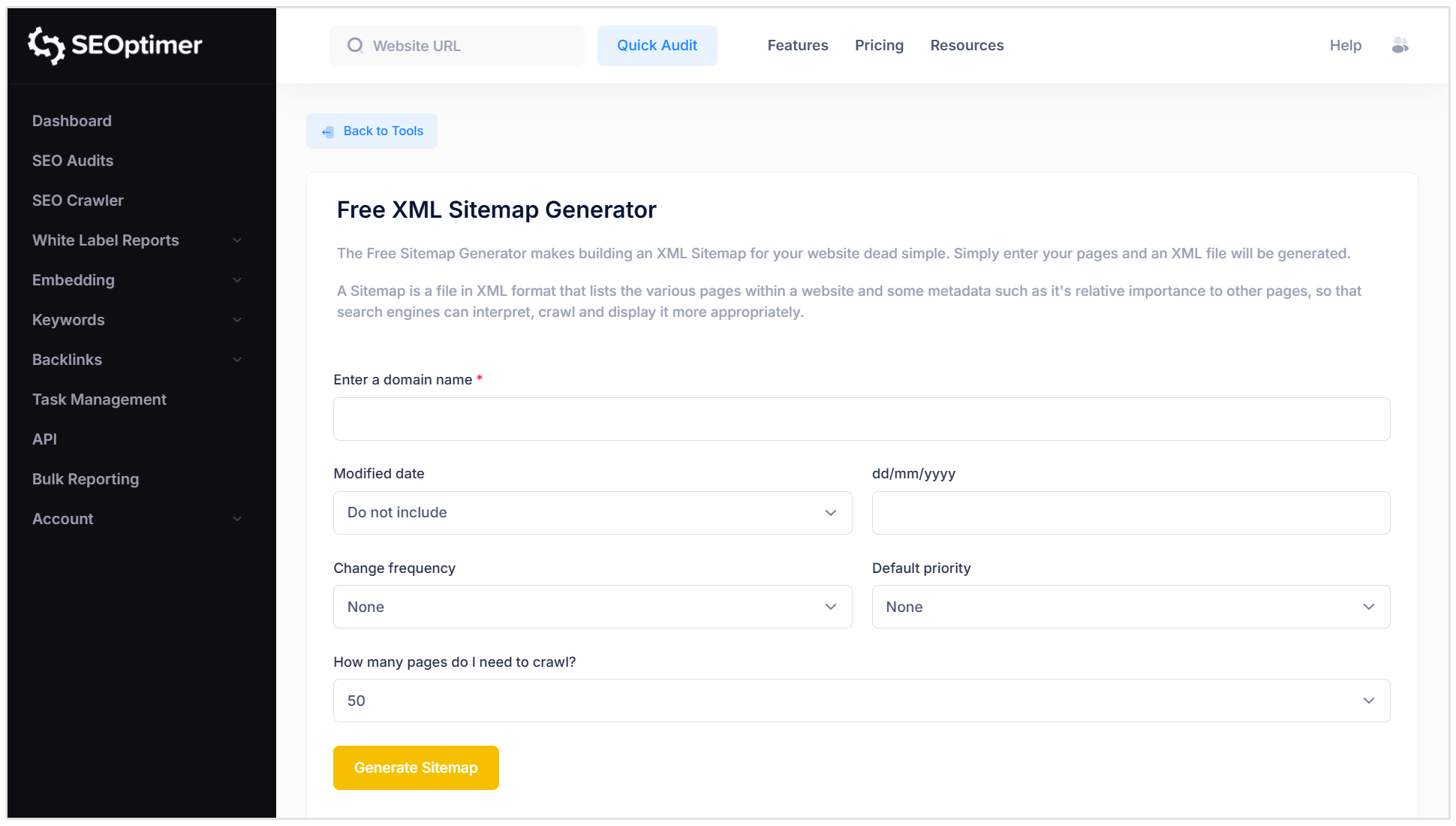
Once you have created the file, upload it to the main folder of your website so it can be accessed at a URL such as yourwebsite.com/sitemap.xml.
You can then submit that URL to Google Search Console, which we will cover in a later section.
What URLs Should You Include in a Sitemap?
Your XML sitemap should only include the pages you want search engines to find and show in search results.
A good rule of thumb is this: if a page is useful, public, and important to your website, it probably belongs in your sitemap.
You should usually include:
- Your main service or product pages
- Important blog posts and guides
- Category or collection pages
- Location pages
- Key landing pages
- Important images, videos, or news content where relevant
How to Submit a Sitemap to Google
Once your XML sitemap is live on your website, you can submit it to Google through Google Search Console.
This helps Google find the file and lets you check whether it has been read successfully.
Here is how to do it:
- Sign in to Google Search Console and choose your website property.
- In the left-hand menu, click Sitemaps which is located underneath Indexing.
- Under Add a new sitemap, enter the sitemap path. For example, if your sitemap is located at https://yourwebsite.com/sitemap.xml, you would enter: sitemap.xml
- Click Submit.
Google will then try to fetch and process your sitemap. Once it has been checked, you will see a status such as Success, Couldn't fetch, or Sitemap has errors.
If Google reports an error, first make sure the sitemap URL opens in your browser and is not blocked by a login page, password, or your robots.txt file.
You usually only need to submit your sitemap once. Google will revisit it over time, especially if your sitemap updates automatically when you add new pages or publish content.
If your site uses a sitemap index, such as sitemap_index.xml, submit the main sitemap index rather than each individual sitemap file.
XML Sitemap Best Practices
Here are some best practices for creating sitemaps:
- Only include important, indexable pages. Add the pages you want to appear in search results, not login pages, redirects, duplicates, or broken URLs.
- Use your preferred page URLs. Include the main, canonical version of each page rather than multiple versions of the same content.
- Use full URLs. Each entry should include the complete URL, such as https://yourwebsite.com/services/, rather than just /services/.
- Keep it up to date. Add new important pages and remove URLs that no longer exist. Most CMS platforms will handle this automatically.
- Use accurate last modified dates. Only update the lastmod date when the page has had a meaningful change, such as new content, updated links, or revised structured data.
- Do not worry about priority or change frequency tags. Google ignores the priority and changefreq fields, so there is no need to spend time configuring them.
- Use a sitemap index for larger websites. If your sitemap has more than 50,000 URLs or is larger than 50 MB, split it into smaller files and submit a sitemap index instead.
- Check for errors regularly. Review the Sitemaps report in Google Search Console to make sure Google can access and process your sitemap.
XML Sitemap FAQs
Do XML sitemaps improve SEO?
No, an XML sitemap does not directly improve rankings. Instead, it helps search engines find and understand the important pages on your website, which can make it easier for them to crawl and index your content.
Does every website need an XML sitemap?
Not every website needs one, especially if it is small, well organized, and has clear internal links.
However, there is little downside to having an accurate sitemap, and it can be particularly useful for large, new, or more complex websites.
How do I find my XML sitemap?
Try adding /sitemap.xml, /sitemap_index.xml, or /wp-sitemap.xml to the end of your domain.
You can also check your robots.txt file, which may include a link to your sitemap, or use SEOptimer’s XML Sitemap Checker to find it automatically.
How often should I update my XML sitemap?
Your sitemap should update whenever you add, remove, or make meaningful changes to important pages on your website. Many CMS platforms, including WordPress, Shopify, Wix, and Squarespace, update sitemaps automatically.
What is the difference between an XML sitemap and an HTML sitemap?
An XML sitemap is made for search engines. It lists the URLs you want Google and other search engines to find and crawl.
An HTML sitemap is made for people. It is a normal webpage that helps visitors browse important pages and sections of your website.
Conclusion
An XML sitemap gives search engines a clear list of the important pages on your website. It will not guarantee rankings or indexing, but it can make it easier for Google to discover, crawl, and understand your content.
For most websites, the process is simple: find your existing sitemap, make sure it only includes the pages you want to appear in search results, and submit it through Google Search Console.
Ready to Take Your SEO to the Next Level?
Now that you know how to find and create your XML sitemap, it’s time to ensure the rest of your website is in peak condition. While our XML Sitemap Generator gets your site structure sorted for Google, it’s only step one of the journey.
To truly dominate the search results, you need to know exactly what’s happening under the hood. That’s where SEOptimer comes in:
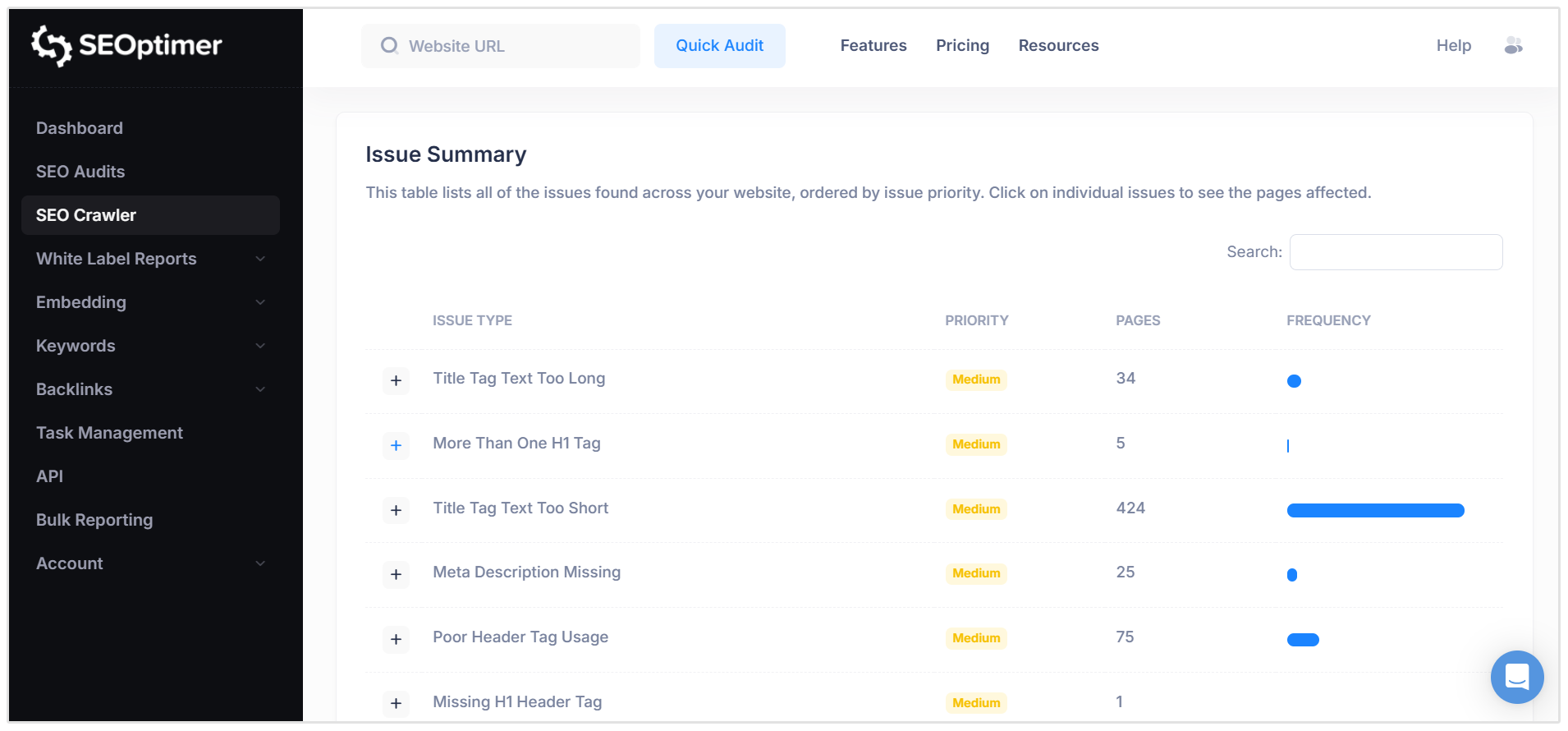
Go Deep with our SEO Crawler
Want to find hidden technical issues before Google does?
Our SEO Crawler mimics search engine bots to scan your entire site, flagging broken links, crawl depth problems, and duplicate content.
Get the Big Picture with our Famous SEO Audit Tool
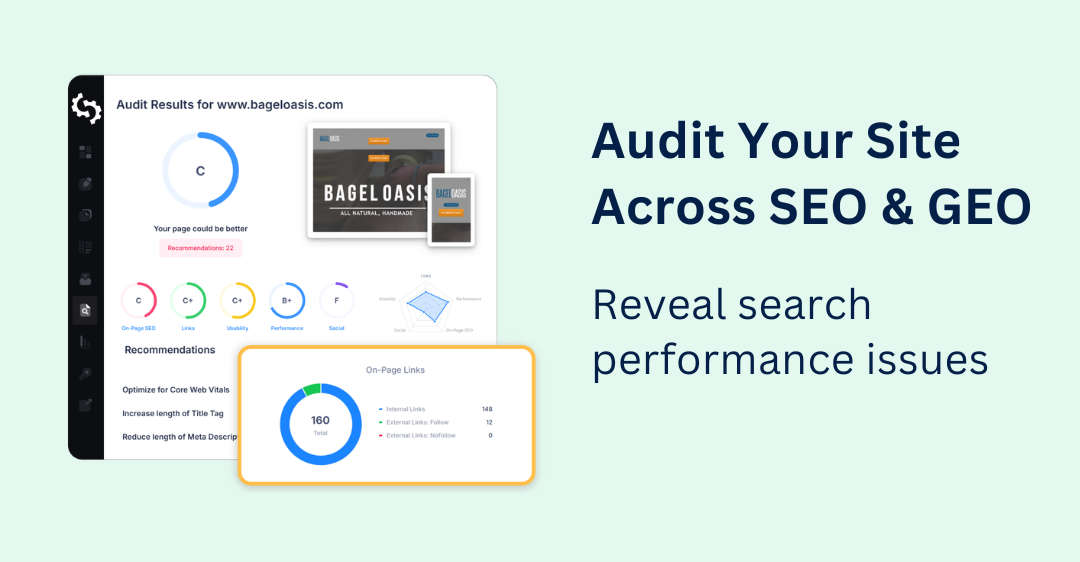
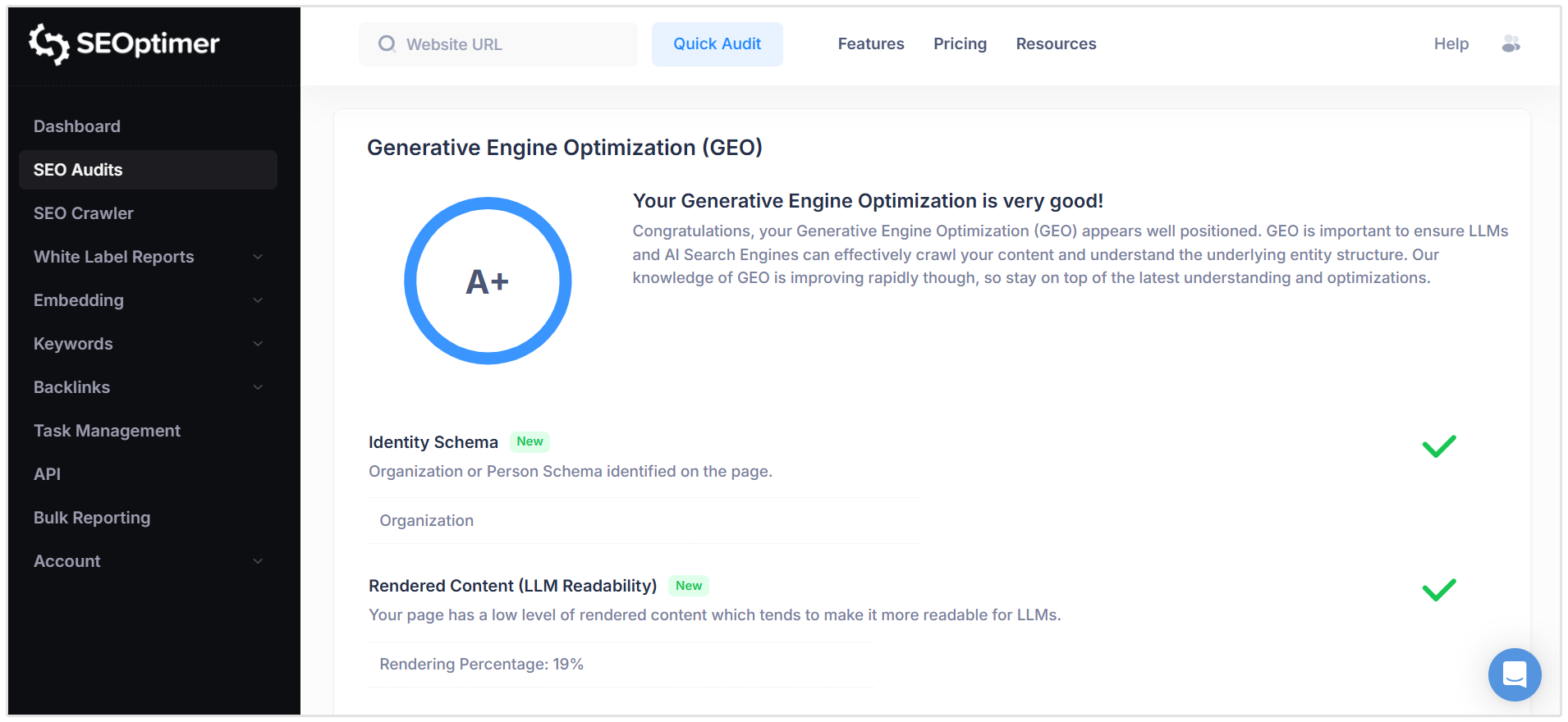
In less than 30 seconds, our SEO and GEO audit will give you a comprehensive, easy-to-read report grading your site’s SEO.
Each report checks the following:
- On-page SEO
- Generative Engine Optimization (GEO)
- Backlink Profile
- Site Usability
- Performance metrics
With each report you run, our tool also generates a clear checklist of how to fix your biggest issues.
Stop guessing about your SEO. Try SEOptimer today and run your first free audit!