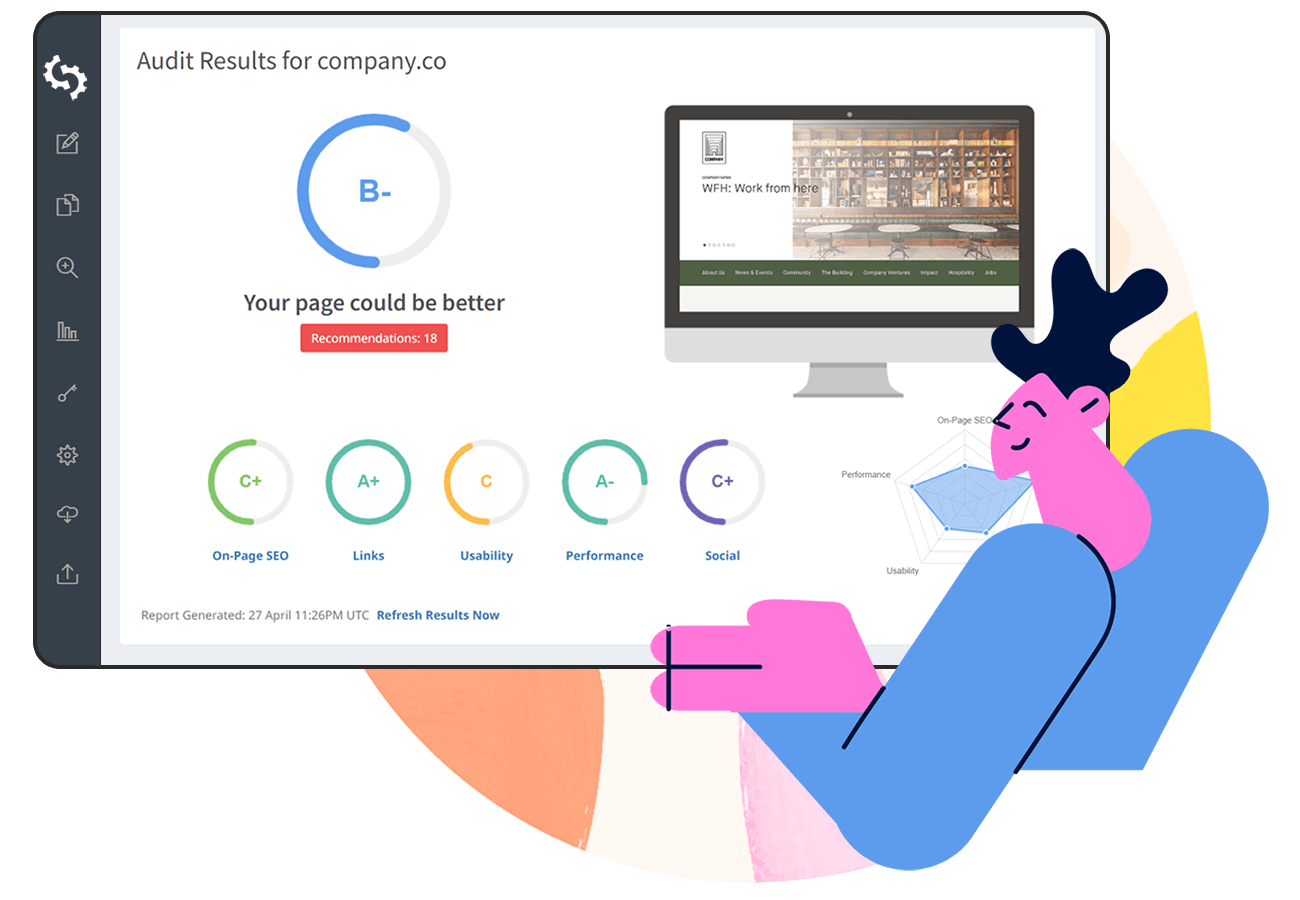



An SEO report should outline the overall SEO performance of any given website. These reports are perfect new business drivers for marketing agencies as they can provide value up-front to a prospective client.
An SEO report can also be used on a recurring basis (monthly is the most common frequency) to showcase the improvement in SEO performance over time to clients or your boss.
Additionally, the report can highlight any SEO issues which need fixing in order to help improve organic search performance.
In this guide we've included a sample SEO Report PDF which you can download below and use to help build your own report.
We’ll also be sharing and summarizing all the parts from the example SEO report.
What Should an SEO Report Contain?
We recommend your SEO report contain the following 8 sections:
- SEO Results Summary: This is the most important page of the report. If the recipient only reads one page of the report - this is it. Keep it to a single page and clearly highlight key insights and recommended actions. Showing how performance can improve will encourage the reader to continue through the report.
- Recommendations: This is where you outline clear, actionable steps to improve SEO performance based on the report’s findings.
- On-Page SEO Results: Covers key on-page factors such as meta tags, page structure, and keyword usage, along with internal and external links.
- Rankings: Shows traffic from search, including Google Organic, Paid Ads, and sometimes AI Overview citations. It also highlights top-performing keywords across organic and paid search, helping identify what’s driving visibility.
- Links: Focuses on your backlink profile, including top backlinks, Domain Strength, and Page Strength, helping assess authority and link-building opportunities.
- Usability: Evaluates device compatibility for mobile and tablet.
- Performance: Focuses on page speed and load times, along with technical factors that impact overall site performance and efficiency.
- Social: Shows which social media profiles are connected to the site and how they support overall SEO visibility and engagement.
- Local SEO: Assesses local visibility, including GBP listings, local schema markup, and reviews, to help improve performance in location-based searches.
- Technology: Lists the third-party technologies used on the site and checks key technical configurations like email authentication (DMARC/SPF) and site setup details.
SEO Results Summary
The purpose of the first page of the SEO report is to give the recipient a clear, topline overview of results in one place.
This can be challenging, as SEO involves many variables and moving parts.
However, stakeholders typically want concise, easy-to-digest insights, making it essential to summarize key findings, highlight performance, and point to the most important opportunities at a glance.
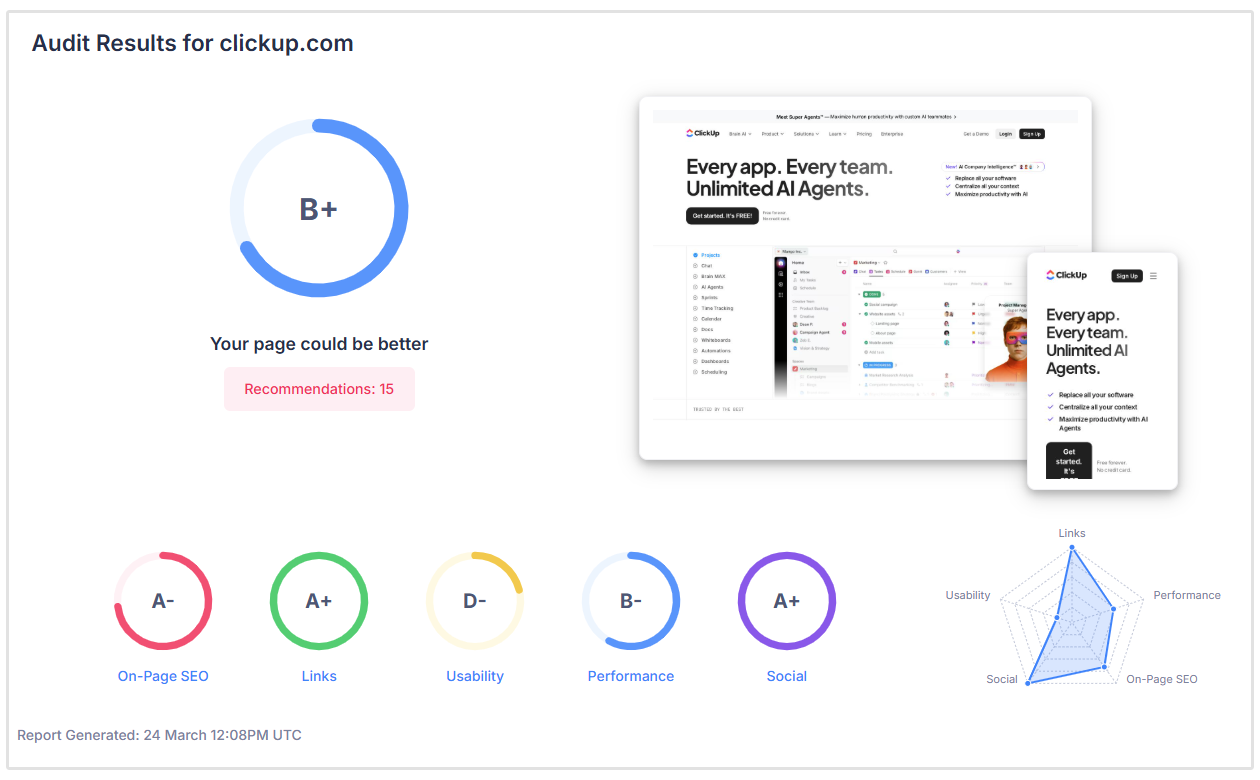
We recommend a traditional scorecard which grades a website on a scale from A+ to F-.
This grading system is well-known around the world and anyone can quickly understand that A is really good and F is really bad.
You will need to individually grade the performance of each report section.
Then apply an overall grading to the site.
The advantage of summarizing performance down to a single grade is the implied next action.
In the example above, if a website's overall grade is B+, the next logical action is to make some SEO improvements to reach an A grade and then tweak more to reach an A+ grade.
This kind of progression doesn't need an explanation as it's inherently implied and you can focus on what your client or boss needs to do in order to improve their grade (and why they should hire you or keep you on a monthly SEO retainer).
Another subtle advantage of a scorecard grading system is it mentally transports your client or boss back to school and casts you as the teacher or expert.
While unspoken, this can add credibility to your recommendations and reinforce the importance of improving performance.
After all, no site owner will be satisfied with a "failing" website.
Manually compiling and scoring each section of an SEO report can be time-consuming and difficult to scale, especially when managing multiple clients.
Tools like SEOptimer streamline this process by automatically generating detailed reports with clear grades for each section, saving time while ensuring consistency and accuracy.
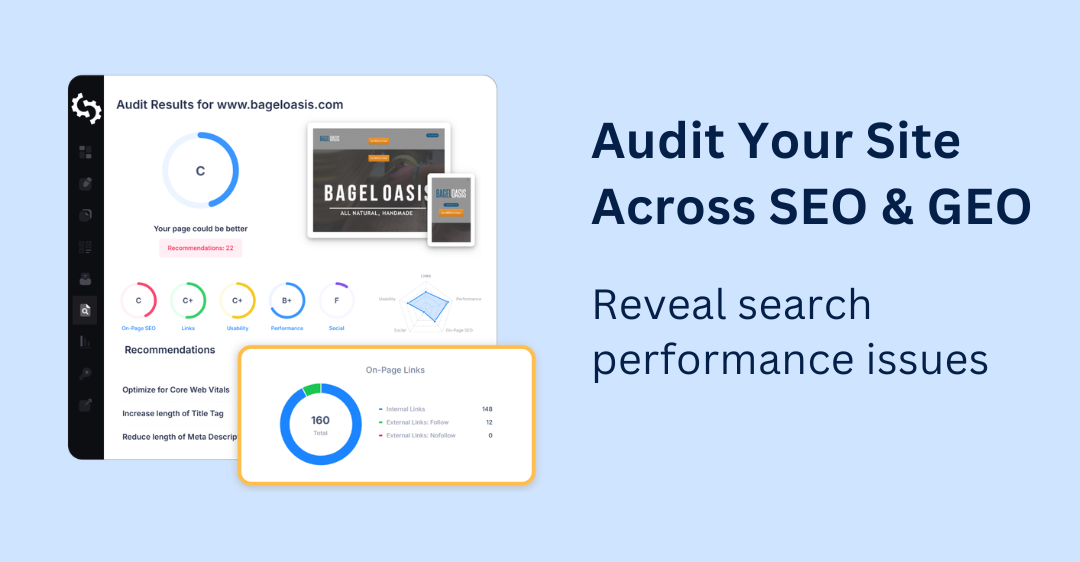
Check out the below resource to see how SEOptimer can help you with your reporting needs:
Recommendations
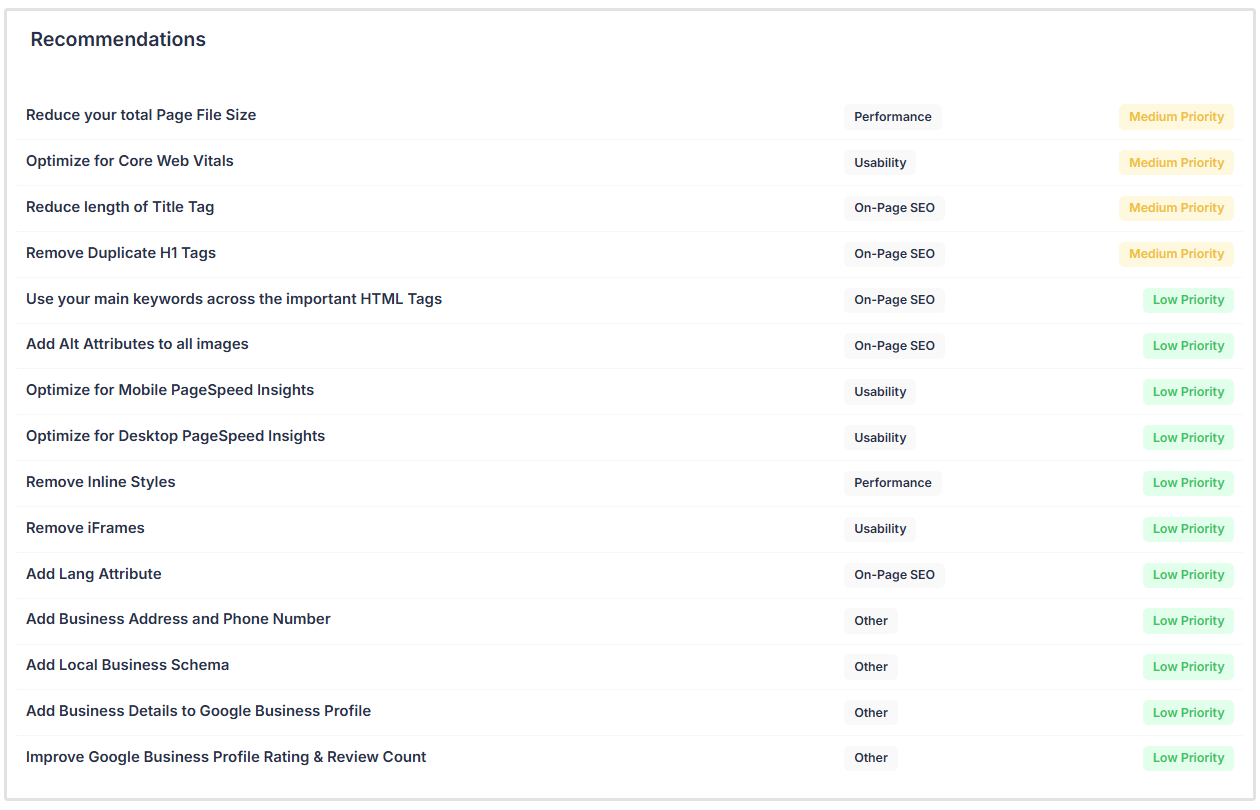
Finally, you should use all the insights above to formulate recommendations on how to improve SEO performance.
Group your recommendations by each section of the report and indicate which recommendations are high, medium and low priority.
When discussing with your client or boss, focus on the high priority items first.
Truth be told, if the website you’re auditing is large and contains many pages, organizing recommendations and deciding what to prioritize can quickly become overwhelming and cause a lot of headaches.
SEOptimer simplifies this process by scanning the entire site for issues and automatically generating prioritized recommendations, helping you focus on what matters most without all of the manual effort.
On-Page SEO Results
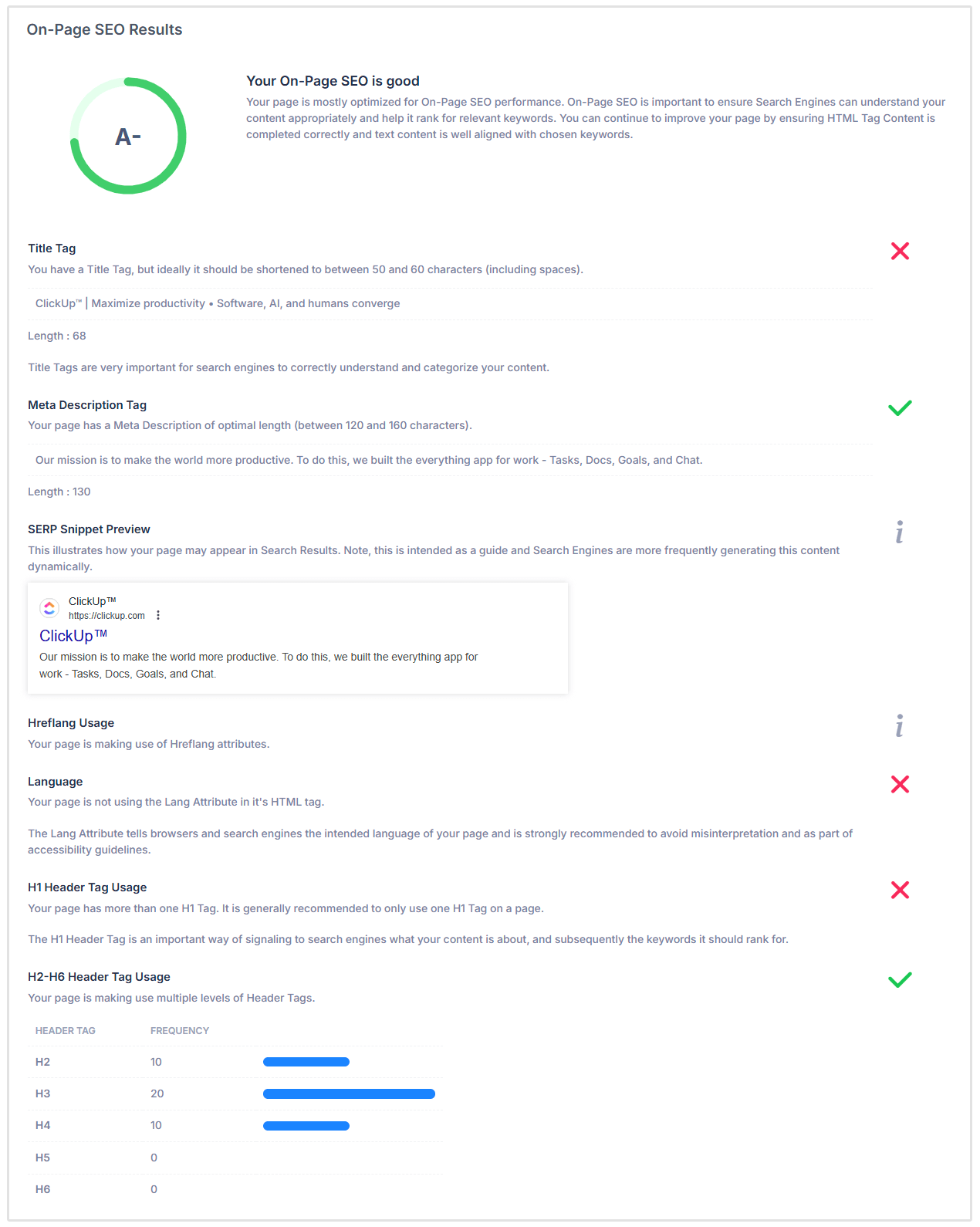
The On-Page SEO section evaluates how well a page is optimized for search engines, covering everything from content structure to technical signals.
You can perform these checks manually by reviewing page source and analyzing individual elements, but this is time-consuming and difficult to scale across larger websites.
SEO tools, on the other hand, automate these checks, providing faster insights and consistent analysis across every page.
A comprehensive on-page SEO audit typically includes:
- Meta Tags: Title tag and meta description length and optimization
- Headings Structure: Proper use of H1–H6 tags and content hierarchy
- Keyword Usage: Distribution and consistency of target keywords
- Content Quality: Word count and relevance of on-page text
- Image Optimization: Use of ALT attributes for images
- Indexing Signals: Canonical tags, noindex directives, and crawlability
- Technical Foundations: HTTPS usage, redirects, and page accessibility
- Site Infrastructure: Robots.txt, XML sitemaps, and analytics tracking
- Structured Data: Schema markup and entity signals
- Emerging Signals: LLM readability and AI-focused files like Llms.txt
A website can achieve a great score for on-page SEO if each of the components follow best practice.
Keyword Rankings
This section highlights how a website performs in search by combining traffic insights with keyword visibility.
It typically shows traffic from key sources such as Google Organic and Paid Ads, and in some cases, visibility from AI Overview citations.
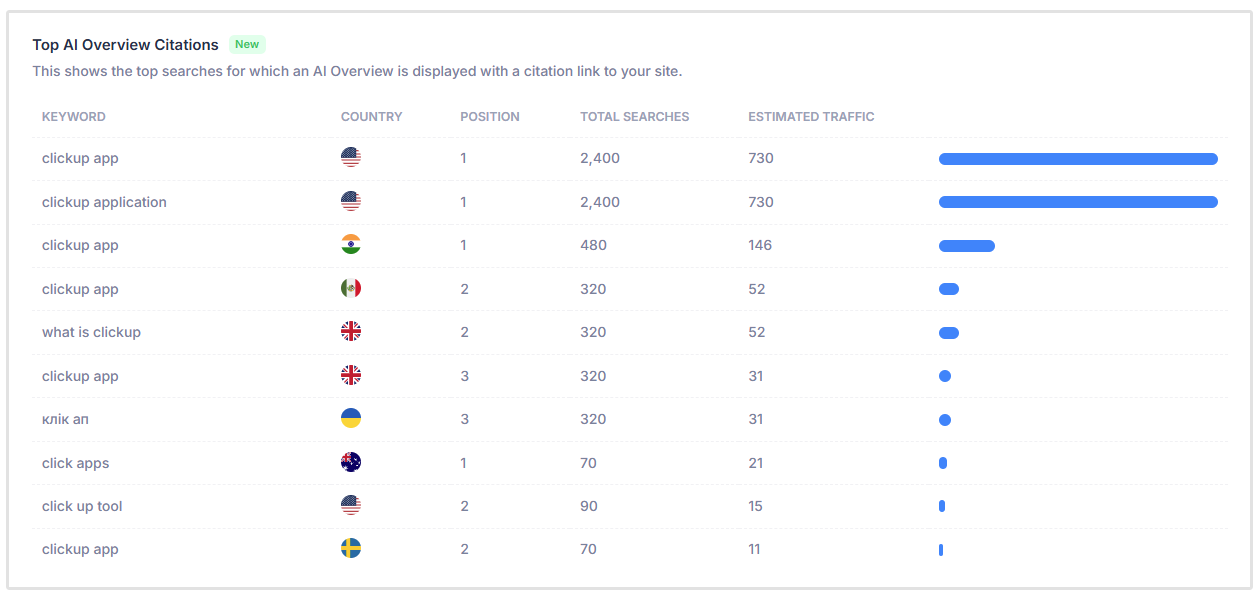
Alongside this, it lists the top-performing keywords across both organic and paid search, giving a clear view of which queries are driving traffic.
Tracking keyword rankings over time is especially valuable, as it helps measure SEO progress, identify trends, and uncover new opportunities to improve visibility for high-impact search terms.

Links
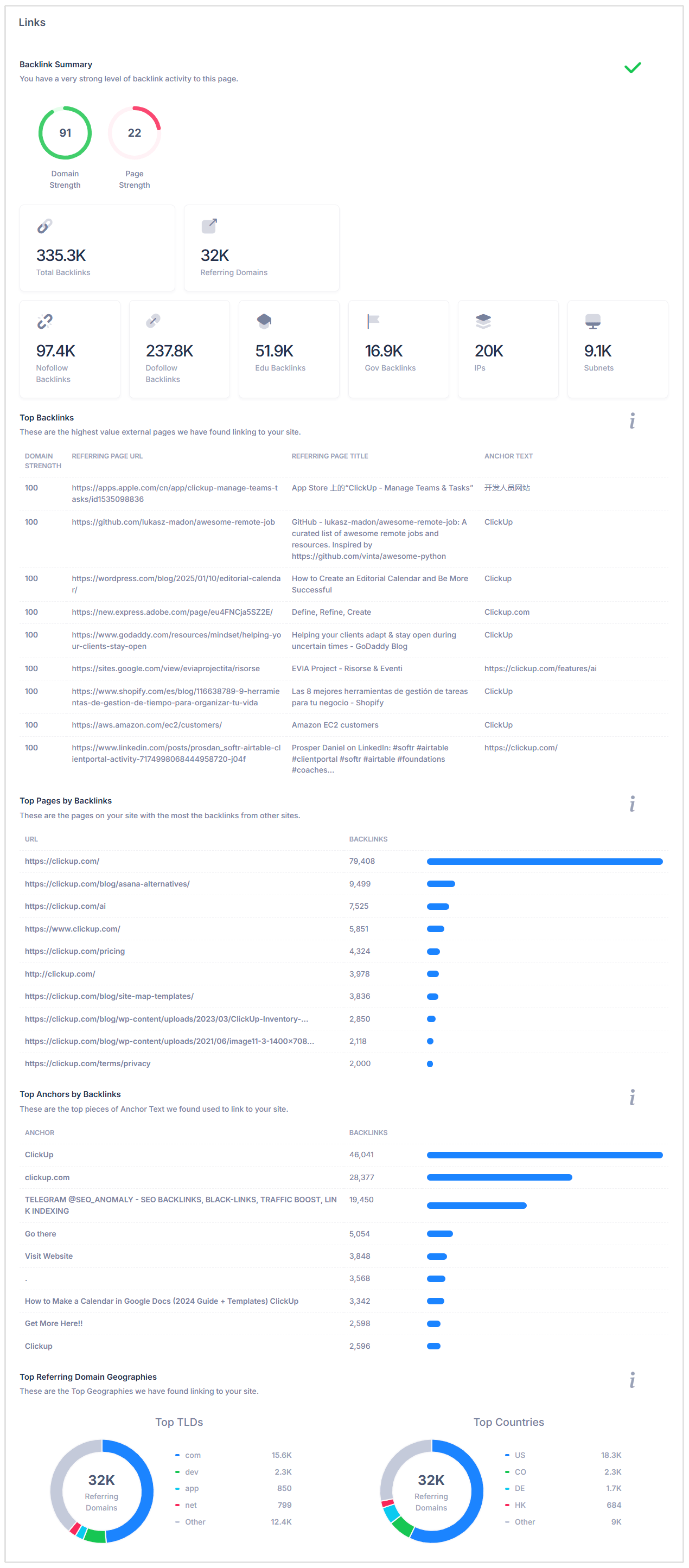
This section of your SEO report should cover the Domain and Page Strength of the URL audited.
It should also include the Top Links, Top Pages by Links, Top Anchors by Backlinks,Top Referring Domain Geographies, On-Page Link Structure (Follow and Nofollow external links) and check whether the site's URLs are friendly for humans and search engines.
You'll also want to include the number of backlinks referring to the site and the number of unique referring domains.
Doing this manually is going to take a lot of work and time that could’ve been spent on building your business or growing your digital agency.
That’s why many agencies choose to use SEOptimer’s Backlink Research tool (which is included in our White Label plan) to get detailed information on their clients’ backlink profiles.
The Backlink Research tool can check any site’s link profile and gives insights on the success of your link-building campaigns.
Usability
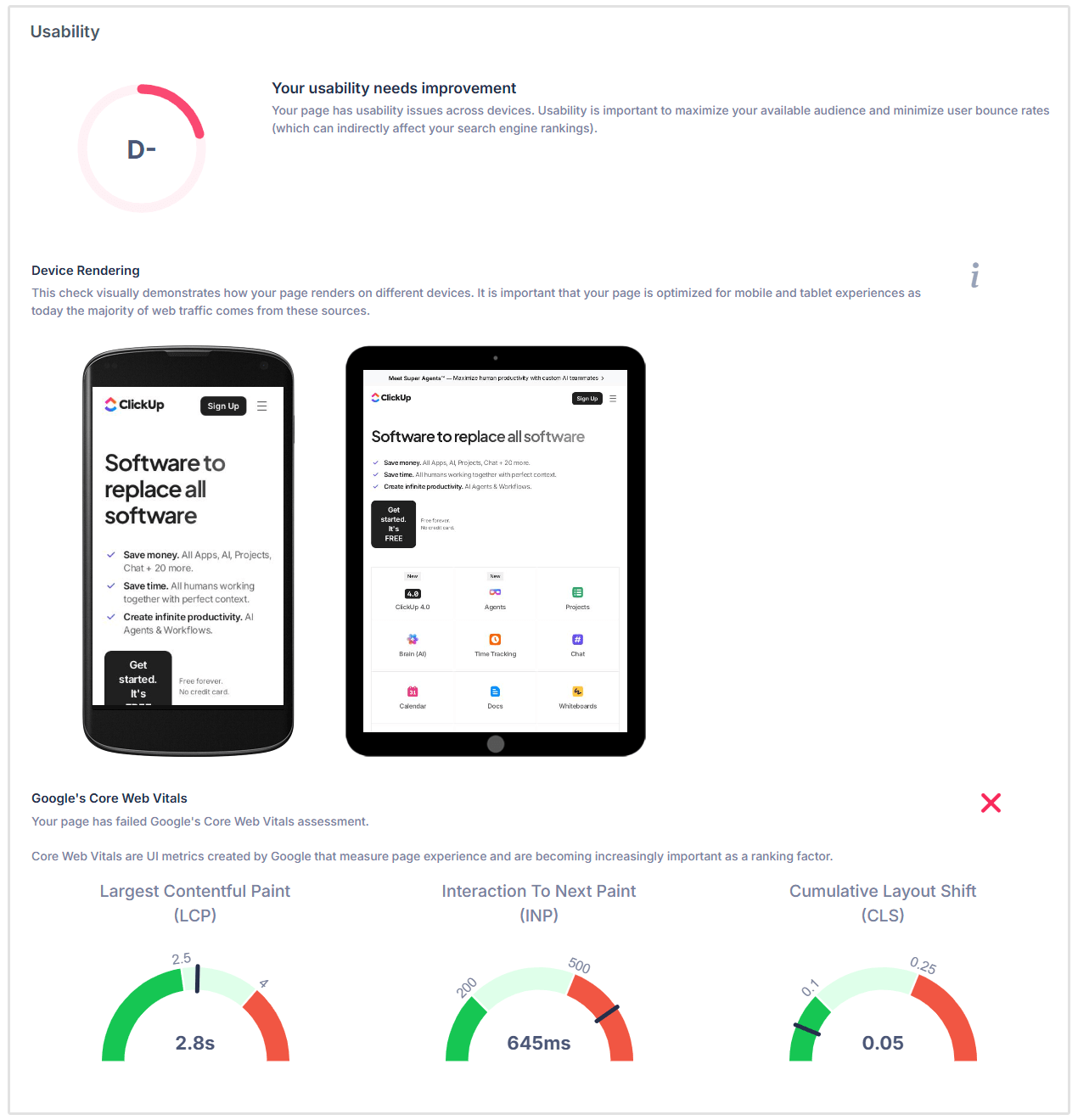
To check cross-device website usability, open the website on a mobile browser and tablet browser and take a screenshot.
Add these screenshots into mobile and tablet device frames in the report so the recipient can easily see how the website loads on each device.
Next, you need to check if unsupported technologies are being used like Flash or iFrames.
You’ll also need to check the site’s Core Web Vitals and PageSpeed Insights (for both Mobile and Desktop) and add these to your SEO reports.
Also check if a Favicon is being used.
Now if this sounds like a lot of work, which it probably is, then SEOptimer has got you covered. Our White Label SEO reports check all of the above elements and more.
Each SEO report will show you how your site renders on different devices.
Our tool also runs vital checks on Core Web Vitals, PageSpeed Insights, and other usability elements, and then presents this in a clean SEO report.
Performance Results
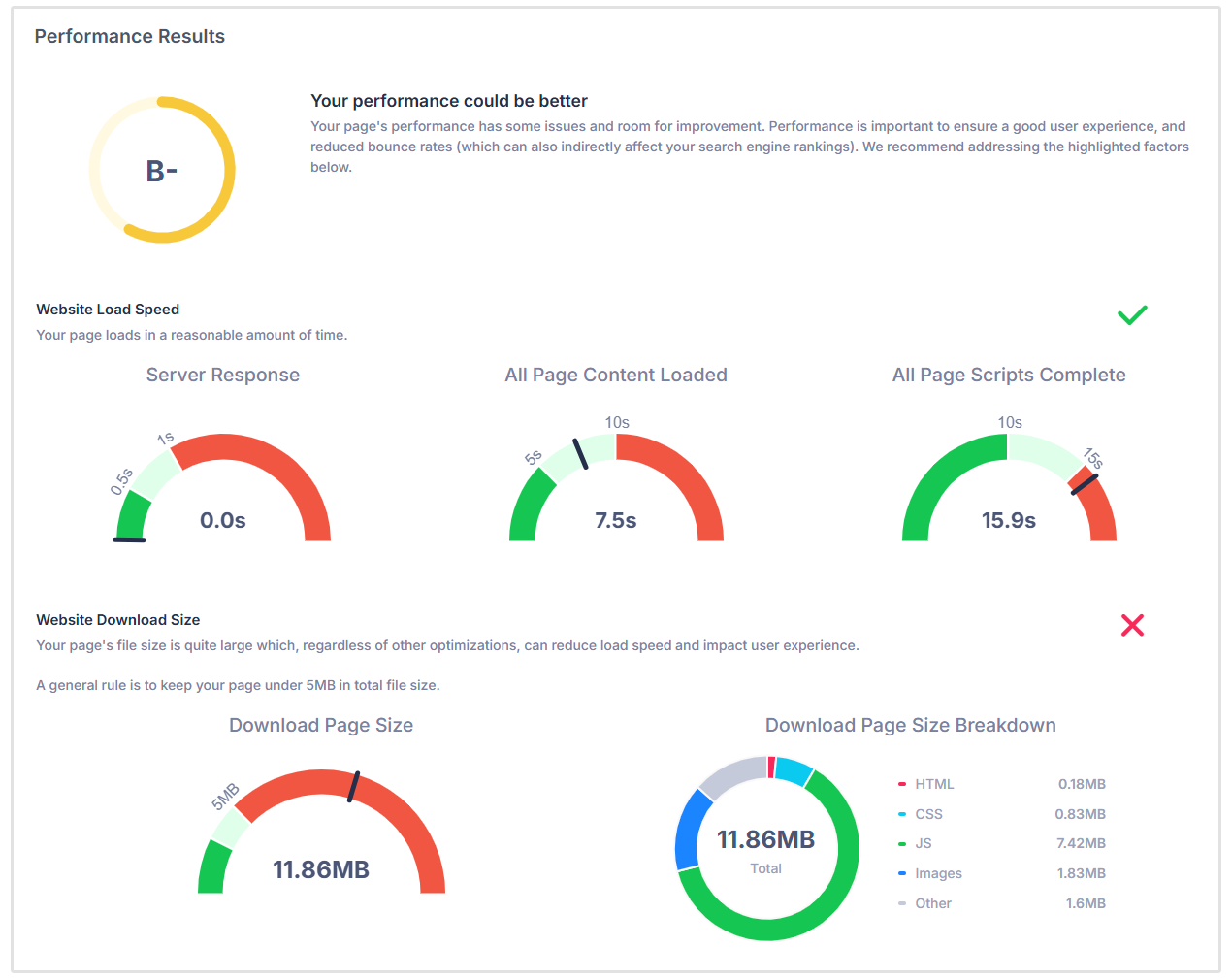
Use a Website Speed Check tool such as Google PageSpeed Insights to ascertain the server response time, page content load time, page scripts load time and overall page size (in megabytes).
It is best to show context around the load times on a performance gauge with traffic light colors: green for good, orange for fair and red for bad.
Breakdown the total page size into the different components: HTML, CSS, JavaScript, Images and any other resources.
Importantly, you should view the page source and check Chrome's Page Inspector for any JavaScript errors.
Also check that all JavaScript and CSS is minified and that there is no use of Deprecated HTML or inline styles. All of these factors together can reduce page speed performance.
Social Results
Check that the website links to the main social channels such as Facebook, Instagram, YouTube, X (Twitter) and LinkedIn.
You can view the page source or use Facebook's Pixel Helper to check if there is a valid Facebook Pixel and that Facebook Open Graph Tags are being used properly.
Also check that (X) Twitter Cards have been implemented.
Visit the X profile and check if there are recent tweets.

Local SEO
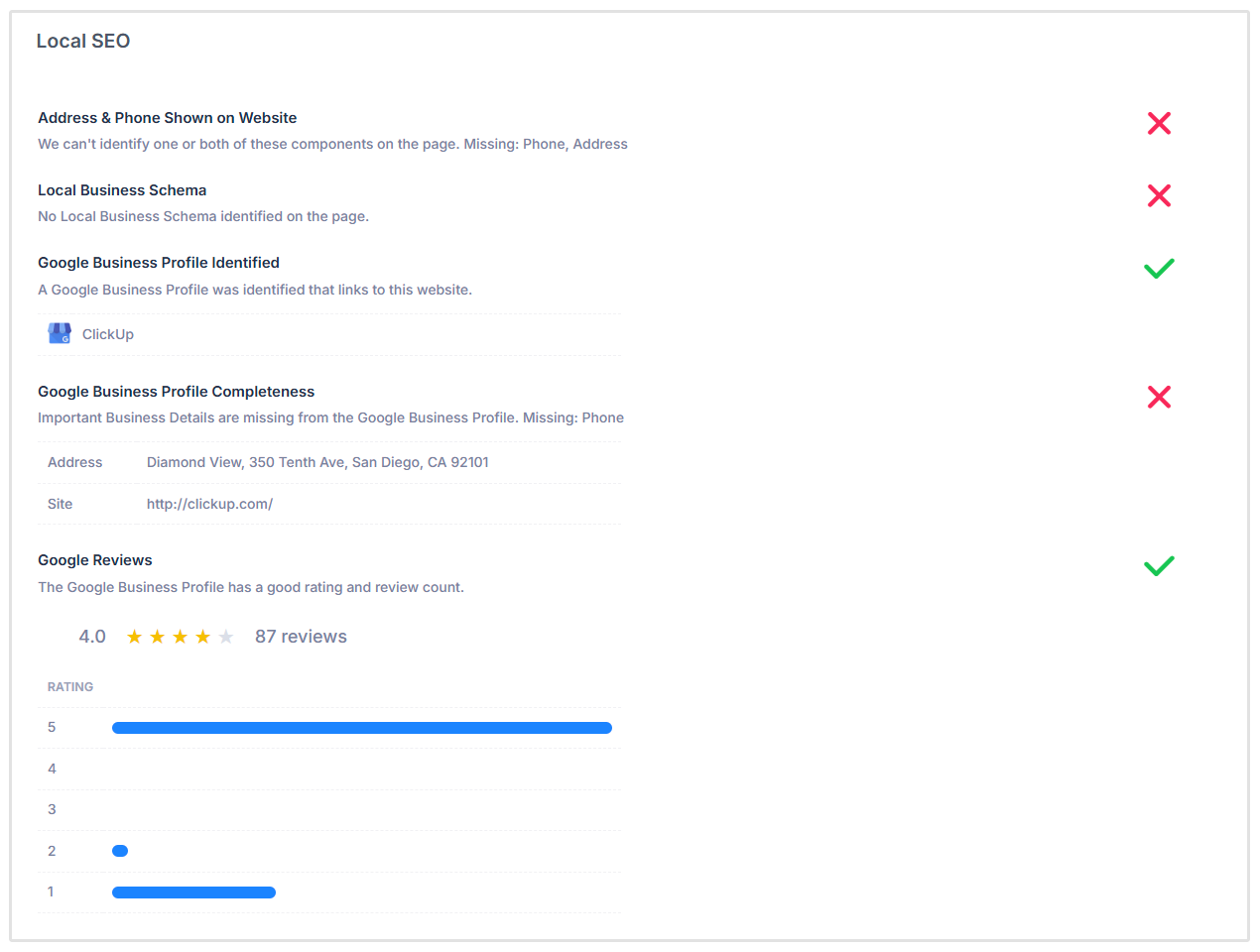
This section should cover the basic checks such as whether the site has a Google Business Profile listing and whether the main business details are filled out.
Here you also need to check whether the site has Local Business Schema and an overview of the business’ Google reviews.
Technology Results
This section does not require grading but it can be handy to list all 3rd party technologies used on the site.
View the page source or use a technology lookup tool like BuiltWith to discover all technologies used.
Also list the site's server IP address, DNS Servers, Web Server address and page charset. These are all good pieces of information to include in this section.

Save Time and Automate Your SEO Reports
As you can imagine, creating this report manually takes many hours of your time. Instead, you should be focusing on growing your business, not assembling reports.
This is why we built SEOptimer. It can generate instant SEO reports in PDF format which you can whitelabel with your logo and customize fonts and colors.
Over 3,000 customers around the world trust us with their SEO report automation.
We make constant updates and improvements to the tool each week and better still, the SEOptimer White Label plan starts at just $39 per month.
This plan gives you access to an entire set of SEO tools including:
- White Label Reports
- SEO Crawler
- Keyword Tracking
- Keyword Research
- Backlink Research
- Backlink Monitoring
- SEO Task Management
Start with our free 14-day trial.